
Wiele promptów do Seedance 2.0 zawodzi z dość przewidywalnego powodu:
brzmią kreatywnie, ale nie dają wystarczająco jasnego kierunku.
Zespoły często piszą coś takiego:
premium ad, cinematic, beautiful lighting, viral product video
Problem nie polega na tym, że te słowa są błędne. Problem polega na tym, że nie mówią Seedance wystarczająco jasno, co odbiorca ma faktycznie zobaczyć.
Ten przewodnik zawiera 20 praktycznych promptów do Seedance 2.0, które można dostosować do realnych workflow. Celem nie jest pisanie „ładniejszych” promptów, tylko uzyskanie lepszych pierwszych draftów.
Zamień te prompty w realne drafty
Używaj Seedance do szybkiego konceptowania, workflow opartych na obrazie i marketingowych wariantów wideo.
Prosta formuła, która działa
Przed przykładami użyj takiej struktury:
- Temat: co pojawia się na ekranie.
- Scena: gdzie dzieje się akcja.
- Akcja: co się porusza albo zmienia.
- Kamera: jak scena jest pokazywana.
- Cel: co wideo ma komunikować.
Szablon:
Create a short video showing
[subject]in[setting]. The main action is[action]. Use[camera direction]with[lighting / tone]. The goal is to make the viewer[reaction / outcome].
Jeśli dopiero poznajesz cały workflow, zacznij też od tych stron:
Jak wybrać właściwy typ promptu
Zanim skopiujesz przykład, zdecyduj, jaką pracę wideo ma naprawdę wykonać.
| Cel | Najlepszy typ promptu | Najlepszy typ wejścia |
|---|---|---|
| Eksploracja nowego konceptu | Jasny temat + scena + jedna akcja | Text-to-video |
| Animacja zatwierdzonego stilla | Zachowanie spójności + kontrolowany ruch | Image-to-video |
| Hero na landing page | Prostsza kompozycja + czytelny punkt skupienia | Tekst lub obraz |
| Hook do paid social | Szybsza akcja + wyraźniejszy moment produktu lub reakcji | Najpierw text-to-video |
| Ponowne użycie materiałów ecommerce | Stabilność + czytelne opakowanie + subtelny ruch | Image-to-video |
Przykłady promptów Seedance 2.0 do text-to-video
1. Teaser premiery produktu
Create a short launch teaser for a matte black wireless speaker on a dark stone table. Start with a macro shot of the grille, then use a slow push-in as soft sunrise light moves across the product. Keep the speaker centered and premium. The goal is to make the launch feel modern and desirable for a landing page hero.
2. Hero clip do strony głównej SaaS
Create a short product hero video for an AI analytics dashboard on a laptop screen in a bright modern office. Animate the interface with clean motion and a subtle push-in camera move. Keep the dashboard legible and product-focused. The goal is to make the software feel fast, useful, and credible.
3. Koncept kampanii modowej
Create a short fashion campaign video showing a model walking through a minimal concrete hallway with dramatic side lighting. Use a smooth tracking shot and slow-motion motion feel. Keep the styling editorial and polished. The goal is to feel premium and brand-forward.
4. Wideo promujące jedzenie
Create a short food promo showing a warm croissant being broken open on a wooden cafe table at morning light. Capture visible steam, crumbs, and a slight top-down camera move. The goal is to make the pastry feel fresh and indulgent for social media promotion.
5. Social clip do launchu aplikacji
Create a short social launch video for a meditation app. Show a smartphone interface appearing over a calm sunrise gradient background, with slow floating motion and clean UI transitions. The goal is to make the app feel calming, modern, and easy to start using.
Wizualny punkt odniesienia dla text-to-video
Ten sample służy jako wizualny punkt odniesienia dla tempa i prezentacji. To reprezentatywny asset ze strony, a nie gwarantowany wynik dokładnie tych promptów.
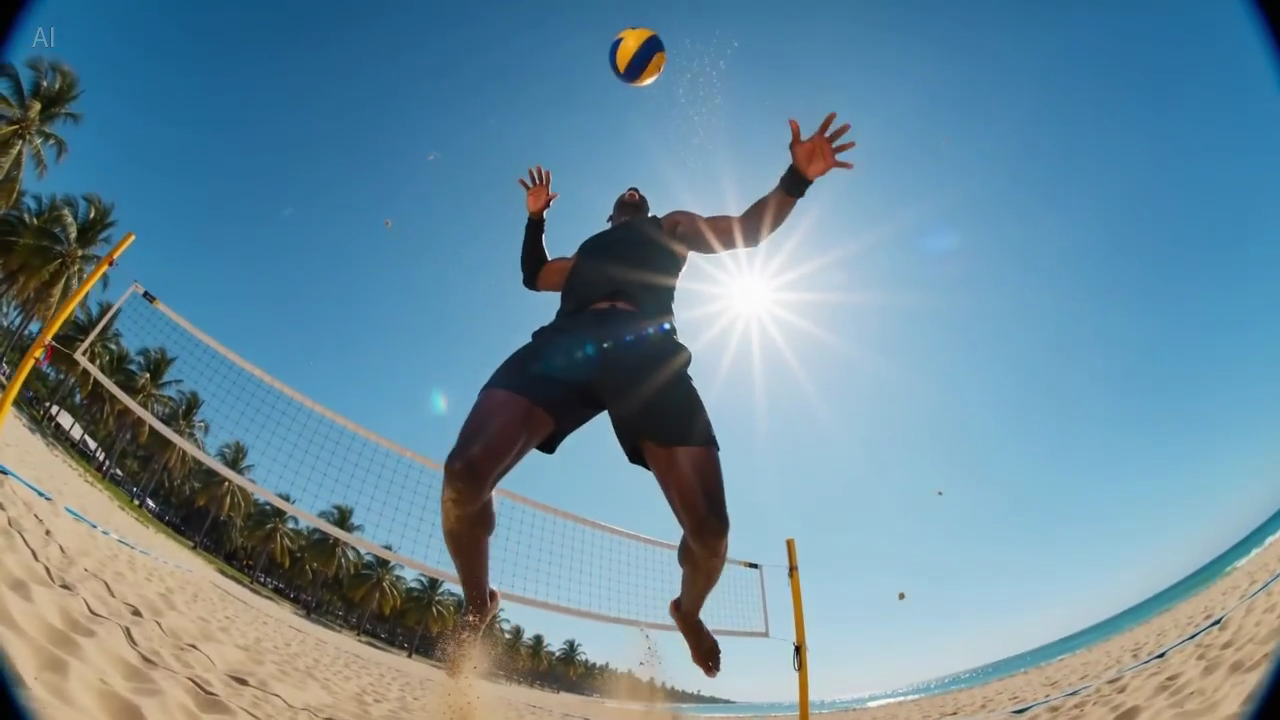
Podpis: prawdziwa klatka z biblioteki sample’i strony, przydatna do oceny, ile informacji powinno zmieścić się w pierwszej czytelnej klatce.
Prompty Seedance 2.0 do image-to-video
Te przykłady najlepiej sprawdzają się wtedy, gdy masz już obraz źródłowy i chcesz zachować kompozycję.
6. Animacja obrazu produktowego ecommerce
Animate this premium skincare serum image into a short ecommerce ad. Keep the bottle shape and label stable. Add gentle water droplets, soft reflections, and a slow dolly-in. Maintain a clean white vanity setting. The goal is to feel premium and gift-worthy for paid social.
7. Wizual do strony produktu
Animate this compact coffee grinder image into a short product detail page video. Keep the grinder centered and recognizable. Add beans pouring into the top with a slow dolly-out as the handle turns. The goal is to make the product feel functional and premium.
8. Obraz do kampanii napoju
Animate this canned sparkling drink image into a bright summer ad. Keep the can design stable. Add condensation, citrus slices dropping into frame, and a slight handheld camera movement. The goal is to feel refreshing and energetic for paid social.
9. Beauty close-up animation
Animate this lipstick product photo into a luxury beauty clip. Keep the packaging shape and logo sharp. Add a subtle rotation, warm reflective highlights, and a smooth camera push-in. The goal is to make the product feel elegant and premium for a landing page section.
10. Lifestyle still mebla
Animate this chair lifestyle image into a short home decor video. Preserve the room composition and chair design. Add soft curtain movement, natural light shift, and a gentle camera pan. The goal is to make the room feel calm, aspirational, and lived-in.
Punkt odniesienia dla subtelnego ruchu
Ten sample jest przydatny, gdy piszesz prompty wymagające stabilnej kompozycji i delikatnego ruchu kamery.
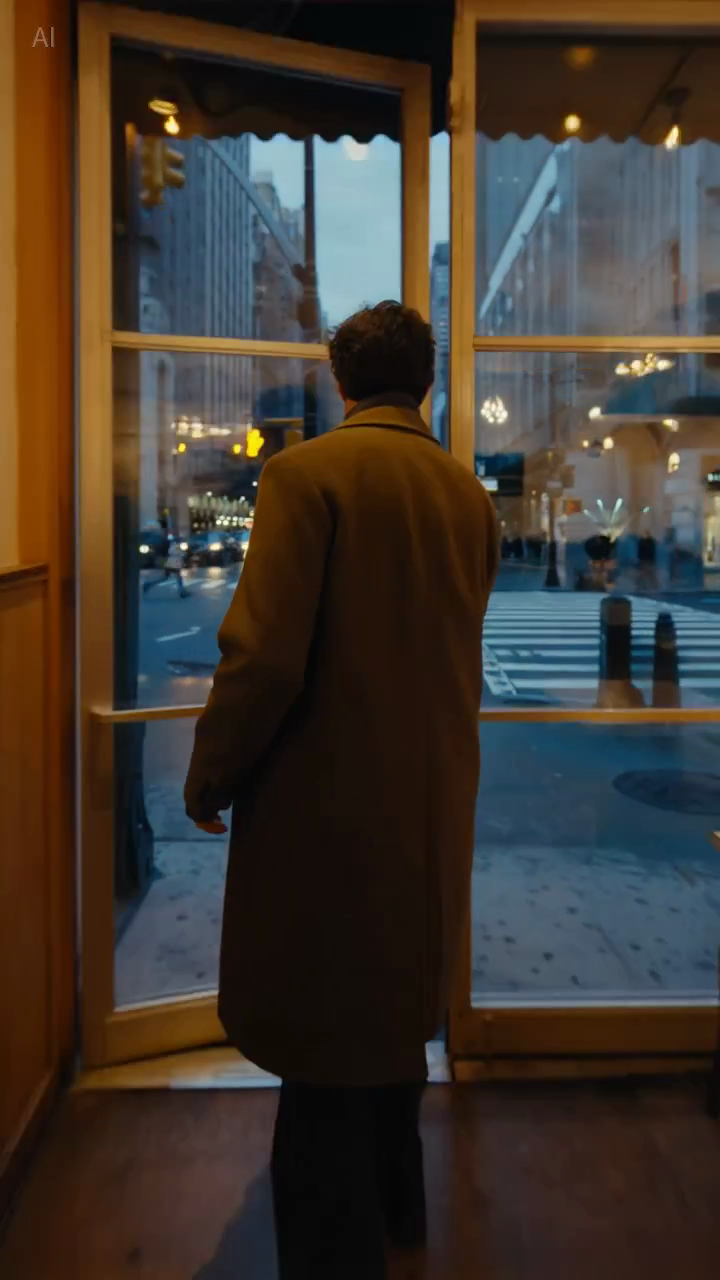
Podpis: prawdziwa klatka z biblioteki sample’i, przydatna do oceny, czy kompozycja pozostaje wystarczająco stabilna.
Prompty Seedance 2.0 dla zespołów marketingowych
11. Paid social hook
Create a short paid social ad for a portable blender in a bright apartment kitchen. Start with fruit dropping into the blender, then cut to a quick blend moment and a positive reaction shot. Use natural handheld framing. The goal is to feel authentic and scroll-stopping.
12. Feature explainer teaser
Create a short feature teaser for an AI writing tool. Show a cluttered document transforming into a clean polished draft with smooth interface motion and a slight zoom-in. Keep the message simple and product-focused. The goal is to show time savings in the first three seconds.
13. Ecommerce sale promo
Create a short sale promo for a premium candle brand. Show the candle on a warm wooden shelf with soft evening light, subtle smoke movement, and elegant camera motion. Add a final composition that leaves room for promotional text. The goal is to feel cozy and giftable.
14. Clip pokazujący benefit produktu
Create a short product benefit video for a water bottle with a built-in filter. Show the bottle being filled outdoors, a clean close-up of the filter mechanism, and a subtle camera move that keeps the bottle central. The goal is to make the product feel practical and trustworthy.
15. Wideo do kampanii emailowej
Create a short email header video for a spring skincare launch. Show a serum bottle surrounded by soft flowers and reflected morning light, with minimal movement and elegant pacing. The goal is to create a premium seasonal visual that supports the launch message.
Prompty Seedance 2.0 dla landing page i stron SEO
16. Hero loop dla landing page
Create a short looping hero video for an AI video generator landing page. Show abstract motion frames evolving into polished video scenes, with clean transitions and soft light gradients. Keep the composition simple so text overlay remains readable. The goal is to make the product feel fast and creative.
17. Demo clip dla strony tutorialowej
Create a short tutorial-style demo video showing a prompt being turned into a finished marketing video. Use a clean product-focused sequence with a slight zoom-in and minimal background distraction. The goal is to make the workflow feel understandable and fast.
18. Wideo wspierające stronę porównawczą
Create a short comparison-page support video showing a premium product concept with stable composition, realistic lighting, and controlled camera movement. The goal is to illustrate reliable draft quality for evaluation by marketing teams.
Prompty Seedance 2.0 do testów kreatywnych
19. UGC video w stylu creator
Create a short creator-style product demo in a bright home kitchen. Show a person unboxing a compact juicer, using it, and reacting positively to the first sip. Use handheld framing and quick natural cuts. The goal is to feel authentic and native to short-form social.
20. Koncept luksusowej marki
Create a short luxury brand film showing a gold watch on black velvet under directional studio lighting. Use a slow orbiting camera move and refined reflections across the metal surface. Keep the scene minimal and premium. The goal is to make the product feel exclusive and collectible.
Dlaczego niektóre prompty działają lepiej
Różnica zwykle nie polega na „większej kreatywności”, tylko na lepszej kontroli.
Przykład A: paid social
Słabsza wersja:
blender ad, viral, high energy, beautiful kitchen
Lepsza wersja:
Create a short paid social ad for a portable blender in a bright apartment kitchen. Start with fruit dropping into the blender, then cut to a quick blend moment and a positive reaction shot. Use natural handheld framing. The goal is to feel authentic and scroll-stopping.
Dlaczego druga wersja jest mocniejsza:
- definiuje główną akcję;
- wyjaśnia punkt skupienia;
- daje kamerze konkretną rolę;
- określa kontekst kanału.
Przykład B: hero dla landing page
Słabsza wersja:
cinematic AI video homepage animation
Lepsza wersja:
Create a short looping hero video for an AI video generator landing page. Show abstract motion frames evolving into polished video scenes, with clean transitions and soft light gradients. Keep the composition simple so text overlay remains readable. The goal is to make the product feel fast and creative.
Dlaczego ta wersja jest lepsza:
- uwzględnia text overlay;
- unika zbyt skomplikowanego kadrowania;
- definiuje realną rolę wizualną assetu.
Jak dostosować te prompty do własnego workflow
Możesz zmieniać:
- temat;
- scenę;
- ruch kamery;
- kanał docelowy;
- cel biznesowy.
To, co powinno pozostać takie samo, to logika promptu.
Dobry prompt odpowiada na trzy pytania:
- co się dzieje;
- jak widzi to odbiorca;
- po co istnieje to wideo.
Czego unikać w promptach Seedance
Zbyt wielu słów opisujących styl
Słowa takie jak cinematic czy beautiful mogą pomagać, ale nie zastępują opisu sceny.
Zbyt wielu pomysłów w jednym prompcie
Jeśli prosisz o trzy sceny, dwie emocje i cztery benefity produktu w jednej generacji, wynik często staje się rozmyty.
Braku instrukcji dotyczących stabilności
To szczególnie ważne w image-to-video. Jeśli kształt produktu, opakowanie lub elementy marki mają pozostać spójne, trzeba to napisać wprost.
Braku kontekstu docelowego
Hero loop, ad hook i visual tutorialowy nie powinny używać dokładnie tego samego promptu bez zmian. Miejsce użycia wpływa na tempo i kadrowanie.
Szybka checklist
Przed generowaniem zapytaj:
- czy główny temat jest oczywisty?
- czy scena jest wystarczająco konkretna?
- czy jest jedna główna akcja?
- czy kierunek kamery jest prosty?
- czy cel outputu jest jasny?
Jeśli na któreś pytanie odpowiedź brzmi nie, popraw prompt przed kolejnymi draftami.
Linie ograniczeń, które można reuse’ować
Te krótkie instrukcje często pomagają, gdy potrzebujesz większej kontroli:
- Keep the product centered and clearly readable.
- Preserve the packaging shape and label.
- Limit the scene to one primary movement.
- Leave negative space for headline text.
- Keep the background minimal and non-distracting.
To nie są magiczne frazy, ale często zwiększają użyteczność biznesową, bo redukują niejednoznaczność.
Wniosek
Najlepsze prompty Seedance 2.0 nie są najbardziej poetyckie. Są najbardziej użyteczne.
Jeśli prompt jasno definiuje temat, scenę, akcję, kamerę i cel, Seedance ma dużo większą szansę wygenerować draft, który warto rozwijać dalej.
Jeśli chcesz od razu wykorzystać te przykłady, przejdź do odpowiedniego workflow:
Co testowalibyśmy dalej
Jeśli chcesz mierzalnie poprawiać jakość promptów, testuj te zmienne pojedynczo:
- Dodawanie lub usuwanie kontekstu docelowego, takiego jak landing page, paid social albo tutorial.
- Zmienianie wyłącznie instrukcji kamery przy zachowaniu tego samego tematu i celu.
- Porównanie promptów z jedną akcją i promptów z wieloma akcjami.
To zwykle daje więcej nauki niż przepisywanie całego promptu od zera w każdej iteracji.