
Most Seedance 2.0 tutorials make the workflow look simpler than it is.
They show one polished prompt, one polished result, and leave out the part that matters most in real use:
How do you go from a rough idea or one existing asset to a usable first draft quickly?
This guide is built for that question. If you want to use Seedance 2.0 for product videos, landing pages, paid social, launch content, or concept exploration, the goal is not to create a perfect video on the first try. The goal is to create a strong draft fast enough that the next revision becomes obvious.
Start with a real Seedance workflow
Generate a first draft with text or image input, then iterate from output instead of guessing.
What Seedance 2.0 is best for
Seedance 2.0 works best when your team needs to move from an idea to a reviewable clip without waiting on a full production cycle.
That usually means one of three jobs:
- turning a text idea into a short concept video;
- turning an existing image into motion without rebuilding the scene;
- testing multiple creative angles before committing budget or design time.
If you already know which workflow you need, start here:
Who this tutorial is for
This tutorial is most useful if you are one of these:
- a marketer who needs more video concepts without a full production cycle;
- a founder or product team turning launch ideas into hero visuals;
- an ecommerce team trying to reuse product stills in motion;
- a creator who wants a more reliable prompt and revision process.
It is less useful if your main need is final-frame VFX polish or a full post-production workflow. Seedance is much stronger at helping you get to a reviewable draft quickly than replacing every part of traditional production.
Step 1: Choose the right starting workflow
This is the first place many teams waste time. They start with text-to-video even when they already have good visuals, or they start with image-to-video when the concept is still too vague.
Use text-to-video when:
- the idea is new;
- the scene does not exist yet;
- you want to test multiple concepts from one brief.
Use image-to-video when:
- you already have a product shot, still frame, design render, or key visual;
- brand consistency matters;
- the fastest path is to animate something approved.
If you start from the wrong input type, Seedance has to invent or preserve the wrong things. That usually creates weaker drafts, not better ones.
Step 2: Write a prompt that does one job
The strongest Seedance 2.0 prompts are not the longest prompts. They are the clearest.
A useful structure is:
- Subject: what is in the scene.
- Setting: where it happens.
- Action: what changes or moves.
- Camera: how the viewer sees the movement.
- Intent: what the clip should communicate.
Here is a simple prompt template:
Create a short video showing
[subject]in[setting]. The main action is[action]. Use[camera direction]with[lighting / tone]. The goal is to make the viewer[reaction / outcome].
That is enough structure for most first drafts.
If prompting is the part you want to improve most, read:
Step 3: Build the first draft for clarity, not complexity
For your first generation, keep the scope narrow.
A weak first prompt often tries to do too much:
- multiple scenes;
- multiple emotions;
- multiple selling angles;
- multiple camera moves;
- too many style adjectives.
A stronger first prompt gives Seedance one clear creative job.
Example text-to-video prompt
Create a short product launch video for a matte black wireless speaker on a dark stone table at sunrise. Start with a close-up of the speaker grille, then use a slow push-in as warm side light moves across the surface. Keep the product centered and premium. The goal is to make the speaker feel modern and gift-worthy for a landing page hero.
Why it works:
- one subject;
- one scene;
- one camera idea;
- one business goal.
Representative sample clip
The video below is a representative Seedance-style sample from this site's existing showcase library. It is included as a visual reference for motion quality and framing, not as a claim that it came from the exact prompt above.
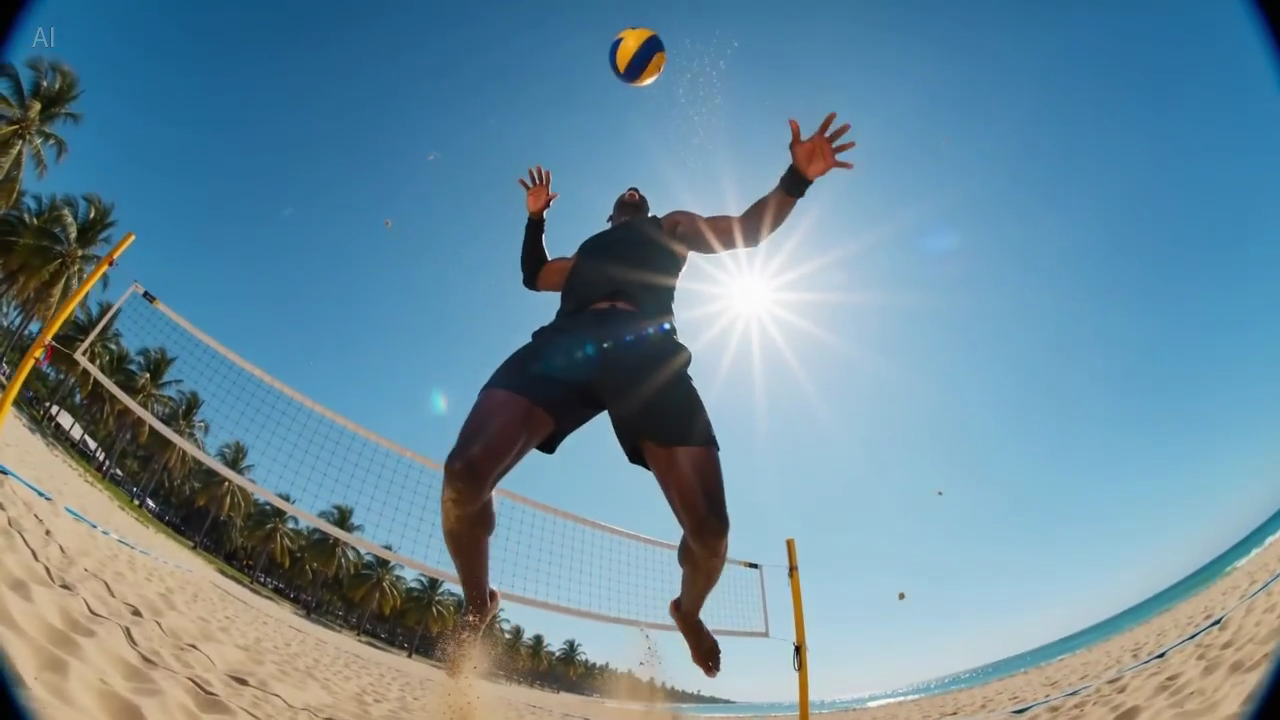
Caption: a real still frame extracted from the same site sample library, useful for judging composition and first-frame readability.
Step 4: Use image-to-video when consistency matters
If you already have a source image, do not force Seedance to recreate it from scratch with text alone.
Image-to-video is often better when:
- the product shape must stay recognizable;
- packaging or labels must remain legible;
- the composition already works;
- the goal is motion enhancement, not scene invention.
Example image-to-video prompt
Animate this premium skincare serum image into a short ecommerce ad. Keep the bottle shape and label stable. Add subtle water droplets, soft reflections, and a slow dolly-in. Maintain a clean white vanity environment. The goal is to feel premium and trustworthy for paid social.
That prompt tells Seedance what to preserve, what to animate, and why the video exists.
Representative product-motion sample
This second clip is another representative example from the site's Seedance sample library. It is useful for judging pacing and motion feel when you want an image-led or product-led result.

Caption: a real still frame from the sample library, useful for checking how large the subject feels in frame and whether the lighting supports a premium product message.
Prompt teardown: from vague to usable
Here is a more realistic example of how prompt quality changes the result.
Weak version
premium skincare ad, cinematic, beautiful light, luxury feel
Why it often underperforms:
- the product is not clearly described;
- there is no setting;
- there is no explicit action;
- the business goal is only implied.
Better version
Create a short ecommerce ad for a premium skincare serum bottle on a clean white vanity at sunrise. Start with a close-up of water droplets on the bottle, then use a slow dolly-in as reflections move across the glass. Keep the label readable and the frame minimal. The goal is to make the product feel premium and trustworthy for paid social.
What improved:
- the subject is specific;
- the environment is controllable;
- the motion is limited and intentional;
- the business goal is explicit.
Step 5: Review the first output like a marketer, not just a creator
When the draft comes back, do not ask only, "Does this look cool?"
Ask:
- Is the subject readable in the first second?
- Is the motion helping the message or distracting from it?
- Is the selling angle obvious?
- Does the clip match the page or channel where it will be used?
- What should stay stable in the next version?
This matters because AI video quality is not only about realism. It is also about utility. A visually impressive draft that does not communicate the product or concept clearly is still a weak asset.
Step 6: Revise with tighter constraints
Most weak iterations happen because the next prompt becomes more vague, not more precise.
Bad revision pattern:
Make it more cinematic, better, more premium, and more viral.
Better revision pattern:
Keep the product size larger in frame. Reduce background movement. Use a slower camera push-in. Preserve the label readability. Make the lighting softer and more premium.
The difference is specificity.
Each revision should answer one of these:
- what should stay stable;
- what should change;
- what should become more obvious.
Step 7: Generate variations on purpose
Once one draft works, create variations that test different business angles rather than random stylistic changes.
For example, one product image can produce:
- a premium hero loop for a landing page;
- a faster paid-social hook;
- a benefit-focused product demo;
- a seasonal launch teaser.
That is how Seedance becomes useful for SEO and growth work too. One blog post, one landing page, or one feature launch can be supported by several short videos tailored to different intents and placements.
Common Seedance 2.0 mistakes
1. Starting with the wrong asset
If you already have a strong image, image-to-video is usually faster than asking text-to-video to rediscover the scene.
2. Asking for too much in one generation
Too many ideas usually creates a muddier result. One draft should solve one communication problem.
3. Using decorative prompt language
Words like "epic", "beautiful", or "viral" are not useless, but they do not replace scene direction.
4. Ignoring the destination
A landing page hero, paid social ad, and product detail page video are different jobs. The prompt should reflect the destination.
A simple Seedance 2.0 workflow for teams
If you want a repeatable process, use this:
- Write one clear brief in one sentence.
- Choose text-to-video or image-to-video based on the asset you have.
- Generate one focused first draft.
- Review for message clarity, not just style.
- Revise by tightening constraints.
- Create 2 to 4 purposeful variations.
This process is simple enough to use repeatedly and structured enough to keep quality from drifting.
Quick decision table
| Situation | Better starting point | Why |
|---|---|---|
| New campaign idea with no assets | Text-to-video | Faster for concept exploration from a brief |
| Approved product still already exists | Image-to-video | Better for preserving shape, label, and composition |
| Need multiple ad hooks quickly | Text-to-video first | Easier to test different angles before refining |
| Need a landing page motion layer from a static visual | Image-to-video first | Lets you animate the existing visual without rebuilding it |
Failure patterns to watch for
These are the most common ways a generation becomes weaker than expected:
The subject is too small in frame
Fix:
- ask for a close-up or medium close-up;
- reduce background activity;
- specify what must remain centered.
The motion feels busy
Fix:
- ask for one dominant movement only;
- reduce environmental motion;
- slow the camera move.
The output looks stylish but commercially weak
Fix:
- restate the selling angle;
- say what the viewer should notice first;
- define the destination, such as landing page, paid social, or PDP.
When to use Seedance 2.0 for SEO content workflows
If you are publishing pages around AI video topics, Seedance can also help produce visual assets for those pages.
For example:
- tutorial posts can include short workflow demos;
- prompt articles can show prompt-output examples;
- comparison pages can show the visual style you want to argue for;
- feature pages can reuse the same core concept in different formats.
That means your SEO content does not have to be text-only. Good supporting video can increase clarity and strengthen conversion when readers move from blog traffic into product exploration.
FAQ
Is Seedance 2.0 better for text-to-video or image-to-video?
Both matter, but the right answer depends on your input. Use text-to-video for new ideas and image-to-video for approved visuals or products that need consistency.
How long should a Seedance prompt be?
Long enough to define the subject, setting, action, camera, and goal. Short enough that the generation still does one clear job.
What should I do if Seedance output looks weak?
Do not only add style words. Clarify the scene, reduce the number of ideas, specify what should stay stable, and define the business goal more clearly.
Can I use one image to create multiple marketing videos?
Yes. One strong image can become several variations for landing pages, ads, email campaigns, and product launches.
Final takeaway
The best Seedance 2.0 tutorial is not "type a magical prompt and hope."
It is:
- choose the right input workflow;
- write one clear prompt;
- review the draft against a real communication goal;
- revise with tighter constraints;
- expand into purposeful variations.
If you want to use that workflow immediately, start from the input that matches your asset:
What we would test next
If you want to turn this tutorial into a stronger evaluation workflow, test these three variables next:
- Subject size in frame: compare close-up vs medium shot.
- Motion density: compare one dominant movement vs a busier scene.
- Goal clarity: compare a prompt with a stated business outcome vs one without it.
That kind of side-by-side testing tends to produce more useful learning than endlessly changing style adjectives.