
La plupart des prompts Seedance 2.0 échouent pour une raison simple :
ils semblent créatifs, mais ils ne donnent pas assez de direction.
Les équipes écrivent souvent quelque chose comme :
premium ad, cinematic, beautiful lighting, viral product video
Le problème n’est pas que ces mots soient faux. Le problème est qu’ils ne disent pas assez clairement ce que le spectateur doit voir.
Ce guide regroupe 20 prompts Seedance 2.0 pratiques que vous pouvez adapter à des usages réels. L’objectif n’est pas d’écrire des prompts plus “jolis”, mais d’obtenir de meilleurs premiers drafts.
Transformez ces prompts en vrais drafts
Utilisez Seedance pour le concepting rapide, les workflows image-led et les variantes marketing.
Une formule simple qui fonctionne
Avant les exemples, utilisez cette structure :
- Sujet : ce qui apparaît à l’écran.
- Décor : où se déroule la scène.
- Action : ce qui bouge ou change.
- Caméra : comment la scène est montrée.
- Intention : ce que la vidéo doit communiquer.
Modèle :
Create a short video showing
[subject]in[setting]. The main action is[action]. Use[camera direction]with[lighting / tone]. The goal is to make the viewer[reaction / outcome].
Si vous apprenez encore le workflow complet, commencez aussi par :
Comment choisir le bon type de prompt
Avant de copier un exemple, décidez quel travail la vidéo doit réellement accomplir.
| Objectif | Meilleur angle de prompt | Meilleur type d’entrée |
|---|---|---|
| Explorer un nouveau concept | Sujet clair + scène + une action | Text-to-video |
| Animer un visuel déjà validé | Préserver la cohérence + ajouter un mouvement contrôlé | Image-to-video |
| Créer un hero de landing page | Composition simple + point focal lisible | Texte ou image selon l’asset |
| Faire un hook paid social | Action plus rapide + produit ou réaction plus clairs | Text-to-video d’abord |
| Réutiliser des visuels ecommerce | Stabilité + lisibilité du packaging + mouvement subtil | Image-to-video |
Exemples de prompts text-to-video pour Seedance 2.0
1. Teaser de lancement produit
Create a short launch teaser for a matte black wireless speaker on a dark stone table. Start with a macro shot of the grille, then use a slow push-in as soft sunrise light moves across the product. Keep the speaker centered and premium. The goal is to make the launch feel modern and desirable for a landing page hero.
2. Clip hero pour homepage SaaS
Create a short product hero video for an AI analytics dashboard on a laptop screen in a bright modern office. Animate the interface with clean motion and a subtle push-in camera move. Keep the dashboard legible and product-focused. The goal is to make the software feel fast, useful, and credible.
3. Concept de campagne mode
Create a short fashion campaign video showing a model walking through a minimal concrete hallway with dramatic side lighting. Use a smooth tracking shot and slow-motion motion feel. Keep the styling editorial and polished. The goal is to feel premium and brand-forward.
4. Vidéo promo food
Create a short food promo showing a warm croissant being broken open on a wooden cafe table at morning light. Capture visible steam, crumbs, and a slight top-down camera move. The goal is to make the pastry feel fresh and indulgent for social media promotion.
5. Clip social de lancement d’app
Create a short social launch video for a meditation app. Show a smartphone interface appearing over a calm sunrise gradient background, with slow floating motion and clean UI transitions. The goal is to make the app feel calming, modern, and easy to start using.
Référence visuelle pour le rythme text-to-video
Cet exemple sert de repère visuel pour juger du rythme et de la présentation. C’est un asset représentatif du site, pas une sortie garantie des prompts exacts ci-dessus.
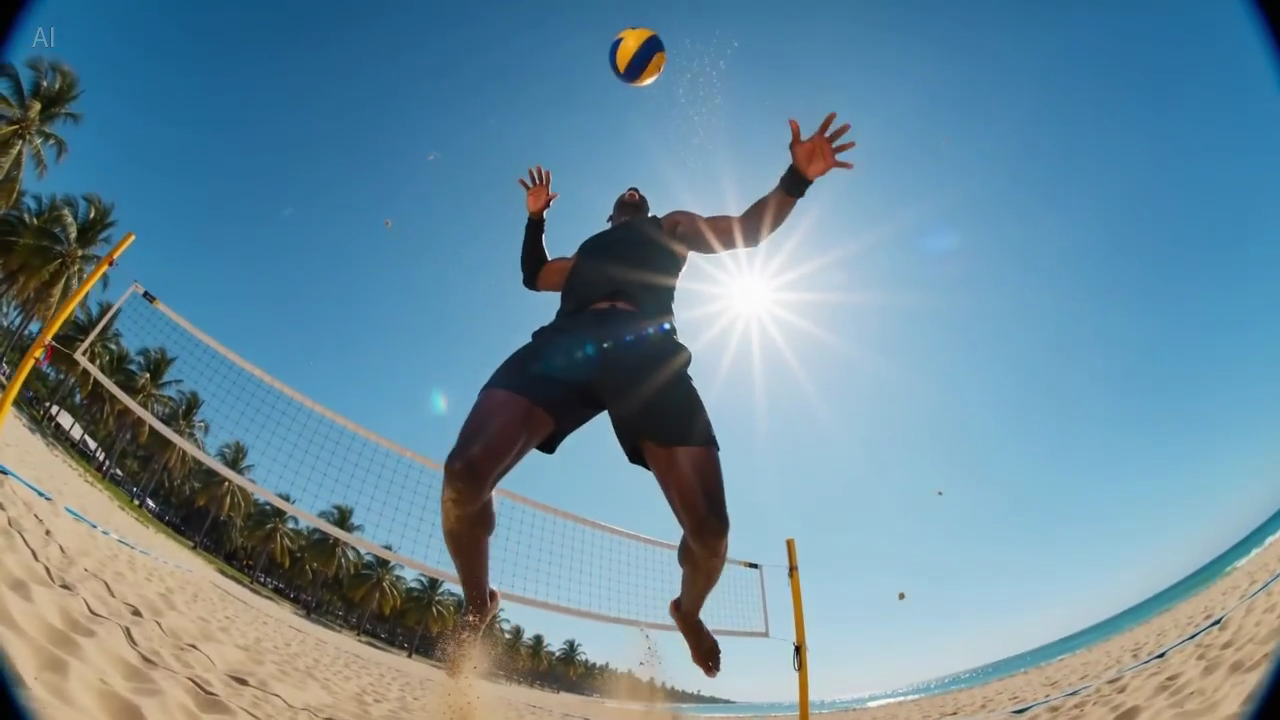
Légende : une vraie image fixe issue de la bibliothèque d’exemples du site, utile pour voir combien d’informations tiennent dans une première frame lisible.
Prompts Seedance 2.0 pour l’image-to-video
Ces exemples fonctionnent mieux lorsque vous avez déjà une image source et que vous souhaitez préserver la composition.
6. Animation d’image produit ecommerce
Animate this premium skincare serum image into a short ecommerce ad. Keep the bottle shape and label stable. Add gentle water droplets, soft reflections, and a slow dolly-in. Maintain a clean white vanity setting. The goal is to feel premium and gift-worthy for paid social.
7. Visuel de page produit gadget
Animate this compact coffee grinder image into a short product detail page video. Keep the grinder centered and recognizable. Add beans pouring into the top with a slow dolly-out as the handle turns. The goal is to make the product feel functional and premium.
8. Visuel fixe de campagne boisson
Animate this canned sparkling drink image into a bright summer ad. Keep the can design stable. Add condensation, citrus slices dropping into frame, and a slight handheld camera movement. The goal is to feel refreshing and energetic for paid social.
9. Animation beauty en gros plan
Animate this lipstick product photo into a luxury beauty clip. Keep the packaging shape and logo sharp. Add a subtle rotation, warm reflective highlights, and a smooth camera push-in. The goal is to make the product feel elegant and premium for a landing page section.
10. Visuel lifestyle mobilier
Animate this chair lifestyle image into a short home decor video. Preserve the room composition and chair design. Add soft curtain movement, natural light shift, and a gentle camera pan. The goal is to make the room feel calm, aspirational, and lived-in.
Référence de mouvement image-led
Cet exemple est utile lorsque vous rédigez des prompts qui exigent une composition stable et un mouvement de caméra subtil.
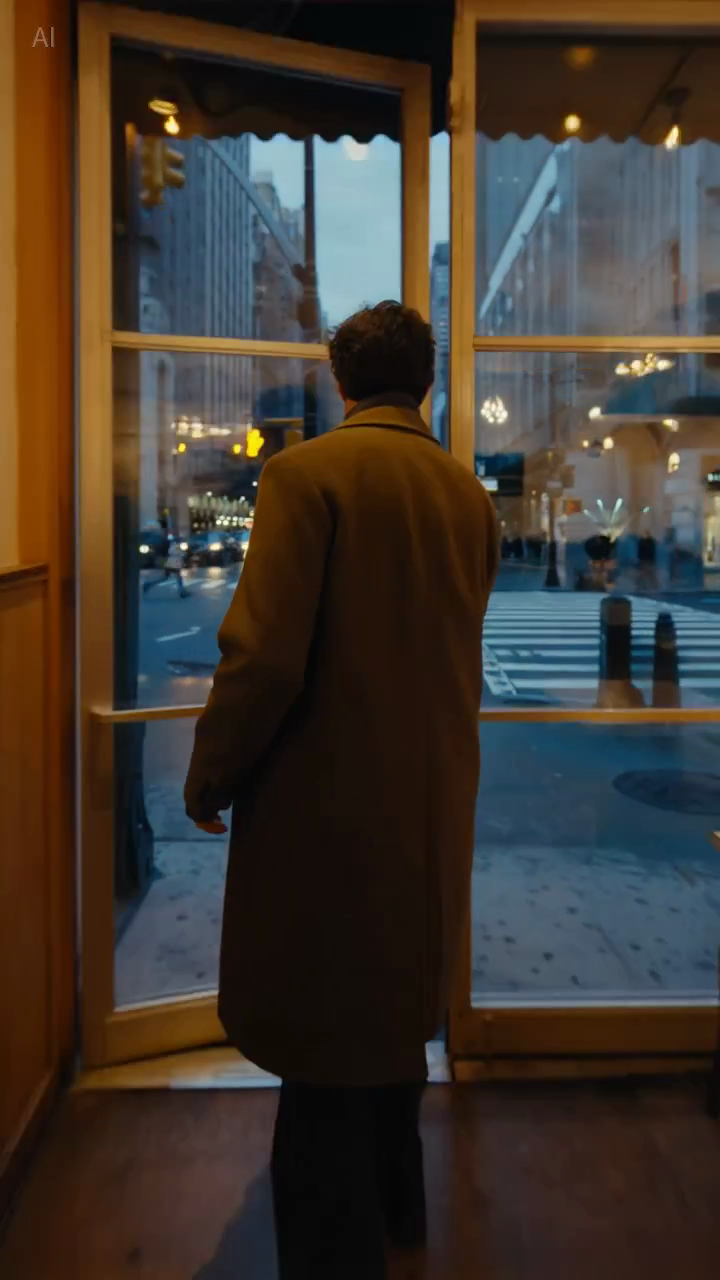
Légende : une vraie image fixe de la bibliothèque d’exemples, utile pour juger si la composition reste assez stable pour un usage produit ou lifestyle.
Prompts Seedance 2.0 pour les équipes marketing
11. Hook paid social
Create a short paid social ad for a portable blender in a bright apartment kitchen. Start with fruit dropping into the blender, then cut to a quick blend moment and a positive reaction shot. Use natural handheld framing. The goal is to feel authentic and scroll-stopping.
12. Teaser d’explication de fonctionnalité
Create a short feature teaser for an AI writing tool. Show a cluttered document transforming into a clean polished draft with smooth interface motion and a slight zoom-in. Keep the message simple and product-focused. The goal is to show time savings in the first three seconds.
13. Promo ecommerce
Create a short sale promo for a premium candle brand. Show the candle on a warm wooden shelf with soft evening light, subtle smoke movement, and elegant camera motion. Add a final composition that leaves room for promotional text. The goal is to feel cozy and giftable.
14. Vidéo centrée bénéfice produit
Create a short product benefit video for a water bottle with a built-in filter. Show the bottle being filled outdoors, a clean close-up of the filter mechanism, and a subtle camera move that keeps the bottle central. The goal is to make the product feel practical and trustworthy.
15. Visuel pour campagne email
Create a short email header video for a spring skincare launch. Show a serum bottle surrounded by soft flowers and reflected morning light, with minimal movement and elegant pacing. The goal is to create a premium seasonal visual that supports the launch message.
Prompts Seedance 2.0 pour landing pages et pages SEO
16. Boucle hero de landing page
Create a short looping hero video for an AI video generator landing page. Show abstract motion frames evolving into polished video scenes, with clean transitions and soft light gradients. Keep the composition simple so text overlay remains readable. The goal is to make the product feel fast and creative.
17. Clip de démo pour page tutoriel
Create a short tutorial-style demo video showing a prompt being turned into a finished marketing video. Use a clean product-focused sequence with a slight zoom-in and minimal background distraction. The goal is to make the workflow feel understandable and fast.
18. Visuel de support pour page comparative
Create a short comparison-page support video showing a premium product concept with stable composition, realistic lighting, and controlled camera movement. The goal is to illustrate reliable draft quality for evaluation by marketing teams.
Prompts Seedance 2.0 pour tests créatifs
19. Vidéo creator style UGC
Create a short creator-style product demo in a bright home kitchen. Show a person unboxing a compact juicer, using it, and reacting positively to the first sip. Use handheld framing and quick natural cuts. The goal is to feel authentic and native to short-form social.
20. Concept haut de gamme
Create a short luxury brand film showing a gold watch on black velvet under directional studio lighting. Use a slow orbiting camera move and refined reflections across the metal surface. Keep the scene minimal and premium. The goal is to make the product feel exclusive and collectible.
Pourquoi certains prompts fonctionnent mieux
La différence ne vient pas d’une “créativité” plus forte, mais d’un meilleur contrôle.
Exemple A : paid social
Version faible :
blender ad, viral, high energy, beautiful kitchen
Version plus forte :
Create a short paid social ad for a portable blender in a bright apartment kitchen. Start with fruit dropping into the blender, then cut to a quick blend moment and a positive reaction shot. Use natural handheld framing. The goal is to feel authentic and scroll-stopping.
Pourquoi la deuxième version est plus solide :
- elle définit l’action principale ;
- elle clarifie le point d’attention ;
- elle donne un rôle à la caméra ;
- elle précise l’intention de diffusion.
Exemple B : hero de landing page
Version faible :
cinematic AI video homepage animation
Version plus forte :
Create a short looping hero video for an AI video generator landing page. Show abstract motion frames evolving into polished video scenes, with clean transitions and soft light gradients. Keep the composition simple so text overlay remains readable. The goal is to make the product feel fast and creative.
Pourquoi cette version est meilleure :
- elle tient compte du texte en surimpression ;
- elle évite un cadrage trop complexe ;
- elle décrit le rôle visuel réel de l’asset.
Comment adapter ces prompts à votre workflow
Les exemples ci-dessus sont des points de départ. Modifiez :
- le sujet ;
- le décor ;
- le mouvement de caméra ;
- le canal de diffusion ;
- l’objectif métier.
Ce qui doit rester identique, c’est la logique du prompt.
Un prompt utile répond à trois questions :
- que se passe-t-il ;
- comment le spectateur le voit ;
- pourquoi la vidéo existe.
Ce qu’il faut éviter dans les prompts Seedance
Trop d’adjectifs de style
Des mots comme cinematic ou beautiful peuvent aider, mais ils ne remplacent pas une vraie description de scène.
Trop d’idées dans un seul prompt
Si vous demandez trois scènes, deux émotions et quatre bénéfices produit dans une seule génération, le résultat devient souvent confus.
Aucune consigne sur la stabilité
C’est particulièrement important en image-to-video. Si la forme du produit, le packaging ou les éléments de marque doivent rester cohérents, il faut le dire explicitement.
Aucun contexte de diffusion
Une boucle hero, un hook publicitaire et un visuel de tutoriel ne devraient pas partager exactement le même prompt. Le canal influe sur le rythme et le cadrage.
Checklist rapide
Avant de générer, demandez-vous :
- le sujet principal est-il évident ?
- le décor est-il assez clair pour être visualisé ?
- y a-t-il une action principale ?
- la direction caméra est-elle simple ?
- l’objectif du rendu est-il explicite ?
Si la réponse est non à l’un de ces points, corrigez le prompt avant de lancer plus de drafts.
Contraintes réutilisables
Ces courtes consignes sont souvent utiles quand vous avez besoin de plus de contrôle :
- Keep the product centered and clearly readable.
- Preserve the packaging shape and label.
- Limit the scene to one primary movement.
- Leave negative space for headline text.
- Keep the background minimal and non-distracting.
Ce ne sont pas des formules magiques, mais elles améliorent souvent l’utilité commerciale du résultat parce qu’elles réduisent l’ambiguïté.
Conclusion
Les meilleurs prompts Seedance 2.0 ne sont pas les plus poétiques. Ce sont les plus utiles.
Si votre prompt définit clairement le sujet, le décor, l’action, la caméra et l’objectif, Seedance aura bien plus de chances de produire un draft qui vaut la peine d’être retravaillé.
Si vous voulez utiliser ces exemples immédiatement, passez directement au workflow adapté :
Ce que nous testerions ensuite
Si vous voulez améliorer la qualité des prompts de manière mesurable, testez ces variables une par une :
- Ajouter ou retirer le contexte de diffusion : landing page, paid social ou tutoriel.
- Modifier uniquement l’instruction caméra en gardant le même sujet et le même objectif.
- Comparer les prompts avec une seule action à ceux qui en imposent plusieurs.
Cette méthode est généralement plus utile que de réécrire entièrement le prompt à chaque itération.