
Muitos prompts do Seedance 2.0 falham por um motivo previsível:
eles parecem criativos, mas não dão direção suficiente.
As equipes costumam escrever algo assim:
premium ad, cinematic, beautiful lighting, viral product video
O problema não é que essas palavras estejam erradas. O problema é que elas não dizem ao Seedance o que a pessoa realmente deve ver.
Este guia traz 20 prompts práticos do Seedance 2.0 que você pode adaptar para fluxos de trabalho reais. O objetivo é conseguir drafts iniciais melhores, não prompts mais “bonitos”.
Transforme estes prompts em drafts reais
Use o Seedance para concepting rápido, workflows orientados por imagem e variações de vídeo para marketing.
Uma fórmula simples que funciona
Antes dos exemplos, use esta estrutura:
- Assunto: o que aparece na tela.
- Cenário: onde a cena acontece.
- Ação: o que se move ou muda.
- Câmera: como a cena é mostrada.
- Intenção: o que o vídeo deve comunicar.
Modelo:
Create a short video showing
[subject]in[setting]. The main action is[action]. Use[camera direction]with[lighting / tone]. The goal is to make the viewer[reaction / outcome].
Se você ainda está aprendendo o fluxo completo, comece também por aqui:
Como escolher o tipo de prompt certo
Antes de copiar um exemplo, decida qual trabalho o vídeo realmente precisa fazer.
| Objetivo | Melhor abordagem de prompt | Melhor tipo de entrada |
|---|---|---|
| Explorar um conceito novo | Assunto claro + cena + uma ação | Text-to-video |
| Animar uma imagem já aprovada | Preservar consistência + adicionar movimento controlado | Image-to-video |
| Criar um hero para landing page | Composição simples + foco legível | Texto ou imagem |
| Criar um hook para paid social | Ação mais rápida + produto ou reação mais claros | Primeiro text-to-video |
| Reaproveitar visuais de ecommerce | Estabilidade + embalagem legível + movimento sutil | Image-to-video |
Exemplos de prompts do Seedance 2.0 para text-to-video
1. Teaser de lançamento de produto
Create a short launch teaser for a matte black wireless speaker on a dark stone table. Start with a macro shot of the grille, then use a slow push-in as soft sunrise light moves across the product. Keep the speaker centered and premium. The goal is to make the launch feel modern and desirable for a landing page hero.
2. Clip hero para homepage SaaS
Create a short product hero video for an AI analytics dashboard on a laptop screen in a bright modern office. Animate the interface with clean motion and a subtle push-in camera move. Keep the dashboard legible and product-focused. The goal is to make the software feel fast, useful, and credible.
3. Conceito de campanha fashion
Create a short fashion campaign video showing a model walking through a minimal concrete hallway with dramatic side lighting. Use a smooth tracking shot and slow-motion motion feel. Keep the styling editorial and polished. The goal is to feel premium and brand-forward.
4. Vídeo promocional de food
Create a short food promo showing a warm croissant being broken open on a wooden cafe table at morning light. Capture visible steam, crumbs, and a slight top-down camera move. The goal is to make the pastry feel fresh and indulgent for social media promotion.
5. Clip social para lançamento de app
Create a short social launch video for a meditation app. Show a smartphone interface appearing over a calm sunrise gradient background, with slow floating motion and clean UI transitions. The goal is to make the app feel calming, modern, and easy to start using.
Referência visual para o ritmo do text-to-video
Este sample serve como referência visual para ritmo e apresentação. É um asset representativo do site, não uma saída garantida dos prompts exatos desta página.
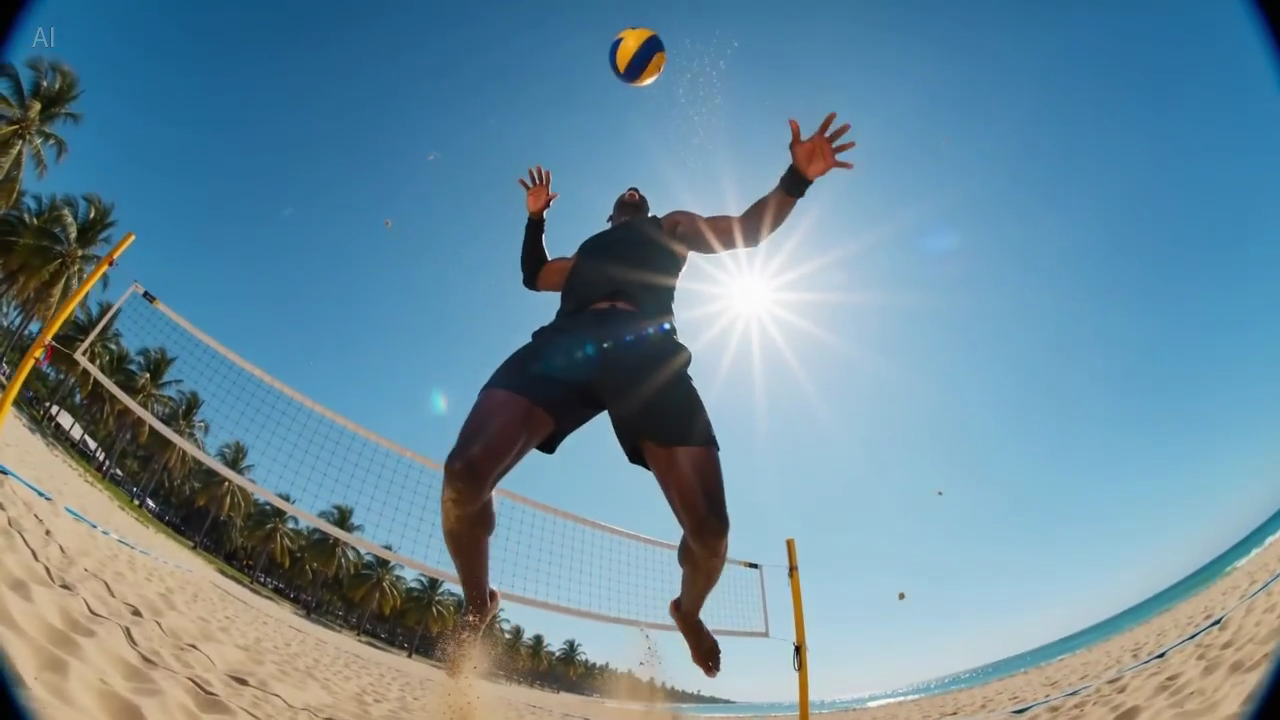
Legenda: um frame real da biblioteca de samples do site, útil para avaliar quanta informação cabe em um primeiro frame legível.
Prompts do Seedance 2.0 para image-to-video
Esses exemplos funcionam melhor quando você já tem uma imagem de origem e quer preservar a composição.
6. Animação de imagem de produto para ecommerce
Animate this premium skincare serum image into a short ecommerce ad. Keep the bottle shape and label stable. Add gentle water droplets, soft reflections, and a slow dolly-in. Maintain a clean white vanity setting. The goal is to feel premium and gift-worthy for paid social.
7. Visual para página de produto gadget
Animate this compact coffee grinder image into a short product detail page video. Keep the grinder centered and recognizable. Add beans pouring into the top with a slow dolly-out as the handle turns. The goal is to make the product feel functional and premium.
8. Still para campanha de bebida
Animate this canned sparkling drink image into a bright summer ad. Keep the can design stable. Add condensation, citrus slices dropping into frame, and a slight handheld camera movement. The goal is to feel refreshing and energetic for paid social.
9. Animação beauty em close-up
Animate this lipstick product photo into a luxury beauty clip. Keep the packaging shape and logo sharp. Add a subtle rotation, warm reflective highlights, and a smooth camera push-in. The goal is to make the product feel elegant and premium for a landing page section.
10. Still lifestyle de mobiliário
Animate this chair lifestyle image into a short home decor video. Preserve the room composition and chair design. Add soft curtain movement, natural light shift, and a gentle camera pan. The goal is to make the room feel calm, aspirational, and lived-in.
Referência visual para movimento sutil
Este sample é útil quando você escreve prompts que exigem composição estável e movimento de câmera suave.
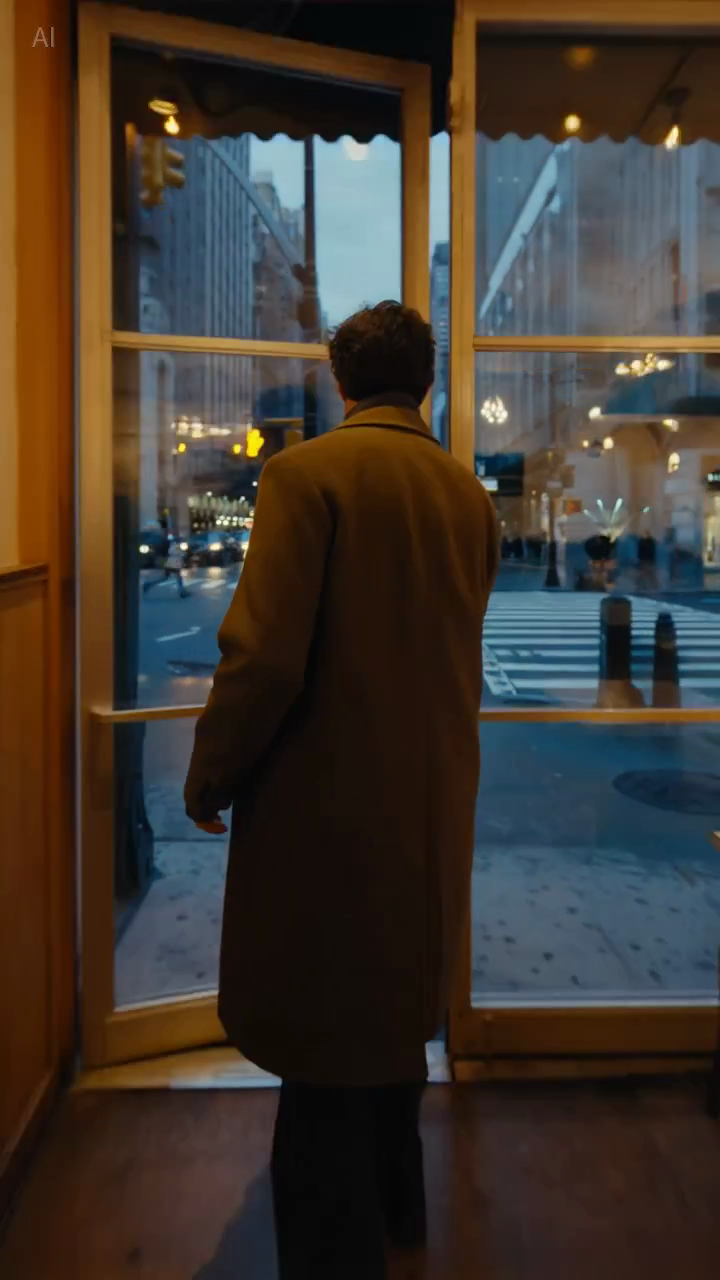
Legenda: um frame real da biblioteca de samples, útil para julgar se a composição permanece estável o bastante para prompts de produto ou lifestyle.
Prompts do Seedance 2.0 para equipes de marketing
11. Hook para paid social
Create a short paid social ad for a portable blender in a bright apartment kitchen. Start with fruit dropping into the blender, then cut to a quick blend moment and a positive reaction shot. Use natural handheld framing. The goal is to feel authentic and scroll-stopping.
12. Teaser explicativo de feature
Create a short feature teaser for an AI writing tool. Show a cluttered document transforming into a clean polished draft with smooth interface motion and a slight zoom-in. Keep the message simple and product-focused. The goal is to show time savings in the first three seconds.
13. Promo de ecommerce
Create a short sale promo for a premium candle brand. Show the candle on a warm wooden shelf with soft evening light, subtle smoke movement, and elegant camera motion. Add a final composition that leaves room for promotional text. The goal is to feel cozy and giftable.
14. Clip de benefício do produto
Create a short product benefit video for a water bottle with a built-in filter. Show the bottle being filled outdoors, a clean close-up of the filter mechanism, and a subtle camera move that keeps the bottle central. The goal is to make the product feel practical and trustworthy.
15. Visual para campanha de email
Create a short email header video for a spring skincare launch. Show a serum bottle surrounded by soft flowers and reflected morning light, with minimal movement and elegant pacing. The goal is to create a premium seasonal visual that supports the launch message.
Prompts do Seedance 2.0 para landing pages e páginas SEO
16. Hero loop para landing page
Create a short looping hero video for an AI video generator landing page. Show abstract motion frames evolving into polished video scenes, with clean transitions and soft light gradients. Keep the composition simple so text overlay remains readable. The goal is to make the product feel fast and creative.
17. Clip demo para página tutorial
Create a short tutorial-style demo video showing a prompt being turned into a finished marketing video. Use a clean product-focused sequence with a slight zoom-in and minimal background distraction. The goal is to make the workflow feel understandable and fast.
18. Visual para página comparativa
Create a short comparison-page support video showing a premium product concept with stable composition, realistic lighting, and controlled camera movement. The goal is to illustrate reliable draft quality for evaluation by marketing teams.
Prompts do Seedance 2.0 para testes criativos
19. Vídeo UGC estilo creator
Create a short creator-style product demo in a bright home kitchen. Show a person unboxing a compact juicer, using it, and reacting positively to the first sip. Use handheld framing and quick natural cuts. The goal is to feel authentic and native to short-form social.
20. Conceito premium de marca
Create a short luxury brand film showing a gold watch on black velvet under directional studio lighting. Use a slow orbiting camera move and refined reflections across the metal surface. Keep the scene minimal and premium. The goal is to make the product feel exclusive and collectible.
Por que alguns prompts funcionam melhor
A diferença normalmente não é “mais criatividade”, e sim melhor controle.
Exemplo A: paid social
Versão fraca:
blender ad, viral, high energy, beautiful kitchen
Versão melhor:
Create a short paid social ad for a portable blender in a bright apartment kitchen. Start with fruit dropping into the blender, then cut to a quick blend moment and a positive reaction shot. Use natural handheld framing. The goal is to feel authentic and scroll-stopping.
Por que a segunda versão é melhor:
- define a ação principal;
- deixa claro o foco;
- dá um papel claro para a câmera;
- explicita a intenção do canal.
Exemplo B: hero de landing page
Versão fraca:
cinematic AI video homepage animation
Versão melhor:
Create a short looping hero video for an AI video generator landing page. Show abstract motion frames evolving into polished video scenes, with clean transitions and soft light gradients. Keep the composition simple so text overlay remains readable. The goal is to make the product feel fast and creative.
Por que essa versão é melhor:
- considera o texto em sobreposição;
- evita enquadramento complexo demais;
- define o trabalho visual real do asset.
Como adaptar esses prompts ao seu workflow
Os exemplos acima são pontos de partida. Ajuste:
- o assunto;
- o cenário;
- o movimento de câmera;
- o canal de destino;
- o objetivo de negócio.
O que deve permanecer igual é a lógica do prompt.
Um prompt útil responde:
- o que está acontecendo;
- como a pessoa vê isso;
- por que o vídeo existe.
O que evitar nos prompts do Seedance
Adjetivos de estilo em excesso
Palavras como cinematic e beautiful podem ajudar, mas não substituem a descrição de cena.
Muitas ideias em um único prompt
Se você pedir três cenas, duas emoções e quatro benefícios de produto em uma única geração, o resultado costuma ficar confuso.
Sem instruções de estabilidade
Isso importa especialmente em image-to-video. Se a forma do produto, a embalagem ou elementos de marca precisam permanecer consistentes, diga isso de forma explícita.
Sem contexto de destino
Um hero loop, um ad hook e um visual tutorial não deveriam usar exatamente o mesmo prompt. O destino altera ritmo e enquadramento.
Checklist rápida
Antes de gerar, pergunte:
- o assunto principal está óbvio?
- o cenário está claro o bastante?
- existe uma ação principal?
- a direção de câmera é simples?
- o objetivo do output está explícito?
Se alguma resposta for não, corrija o prompt antes de gerar mais drafts.
Linhas de restrição reutilizáveis
Estas instruções curtas costumam ajudar quando você precisa de mais controle:
- Keep the product centered and clearly readable.
- Preserve the packaging shape and label.
- Limit the scene to one primary movement.
- Leave negative space for headline text.
- Keep the background minimal and non-distracting.
Não são frases mágicas, mas costumam melhorar a utilidade comercial porque reduzem ambiguidade.
Conclusão
Os melhores prompts do Seedance 2.0 não são os mais poéticos. São os mais úteis.
Se o seu prompt define claramente assunto, cenário, ação, câmera e objetivo, o Seedance tem muito mais chance de produzir um draft que realmente vale a pena melhorar.
Se você quiser usar esses exemplos agora, vá direto para o workflow correspondente:
O que testaríamos a seguir
Se você quiser melhorar a qualidade dos prompts de forma mensurável, teste estas variáveis uma de cada vez:
- Adicionar ou remover o contexto de destino, como landing page, paid social ou tutorial.
- Alterar apenas a instrução de câmera mantendo assunto e objetivo iguais.
- Comparar prompts com uma ação principal contra prompts com múltiplas ações.
Isso normalmente ensina mais do que reescrever o prompt inteiro a cada rodada.