
Molti prompt di Seedance 2.0 falliscono per una ragione prevedibile:
suonano creativi, ma non danno abbastanza direzione.
I team spesso scrivono qualcosa del tipo:
premium ad, cinematic, beautiful lighting, viral product video
Il problema non è che queste parole siano sbagliate. Il problema è che non dicono a Seedance cosa dovrebbe vedere davvero lo spettatore.
Questa guida raccoglie 20 prompt pratici di Seedance 2.0 che puoi adattare a workflow reali. L’obiettivo non è scrivere prompt più belli, ma ottenere draft iniziali migliori.
Trasforma questi prompt in draft reali
Usa Seedance per concept rapidi, workflow image-led e varianti video per il marketing.
Una formula semplice che funziona
Prima degli esempi, usa questa struttura:
- Soggetto: cosa appare sullo schermo.
- Scena: dove succede.
- Azione: cosa si muove o cambia.
- Camera: come viene mostrata la scena.
- Intento: cosa deve comunicare il video.
Template:
Create a short video showing
[subject]in[setting]. The main action is[action]. Use[camera direction]with[lighting / tone]. The goal is to make the viewer[reaction / outcome].
Se stai ancora imparando il workflow completo, parti anche da qui:
Come scegliere il tipo di prompt giusto
Prima di copiare un esempio, decidi quale lavoro deve fare davvero il video.
| Obiettivo | Approccio migliore | Tipo di input migliore |
|---|---|---|
| Esplorare un nuovo concept | Soggetto chiaro + scena + una sola azione | Text-to-video |
| Animare uno still approvato | Preservare coerenza + aggiungere movimento controllato | Image-to-video |
| Creare un hero per landing page | Composizione semplice + punto focale leggibile | Testo o immagine |
| Creare un hook paid social | Azione più veloce + momento prodotto/reazione più chiaro | Prima text-to-video |
| Riutilizzare visual ecommerce | Stabilità + packaging leggibile + movimento sottile | Image-to-video |
Esempi di prompt Seedance 2.0 per text-to-video
1. Teaser di lancio prodotto
Create a short launch teaser for a matte black wireless speaker on a dark stone table. Start with a macro shot of the grille, then use a slow push-in as soft sunrise light moves across the product. Keep the speaker centered and premium. The goal is to make the launch feel modern and desirable for a landing page hero.
2. Clip hero per homepage SaaS
Create a short product hero video for an AI analytics dashboard on a laptop screen in a bright modern office. Animate the interface with clean motion and a subtle push-in camera move. Keep the dashboard legible and product-focused. The goal is to make the software feel fast, useful, and credible.
3. Concept per campagna fashion
Create a short fashion campaign video showing a model walking through a minimal concrete hallway with dramatic side lighting. Use a smooth tracking shot and slow-motion motion feel. Keep the styling editorial and polished. The goal is to feel premium and brand-forward.
4. Video promo food
Create a short food promo showing a warm croissant being broken open on a wooden cafe table at morning light. Capture visible steam, crumbs, and a slight top-down camera move. The goal is to make the pastry feel fresh and indulgent for social media promotion.
5. Clip social per lancio app
Create a short social launch video for a meditation app. Show a smartphone interface appearing over a calm sunrise gradient background, with slow floating motion and clean UI transitions. The goal is to make the app feel calming, modern, and easy to start using.
Riferimento visivo per il ritmo text-to-video
Questo clip serve come riferimento visivo per capire ritmo e presentazione. È un asset rappresentativo del sito, non un output garantito dei prompt esatti riportati qui.
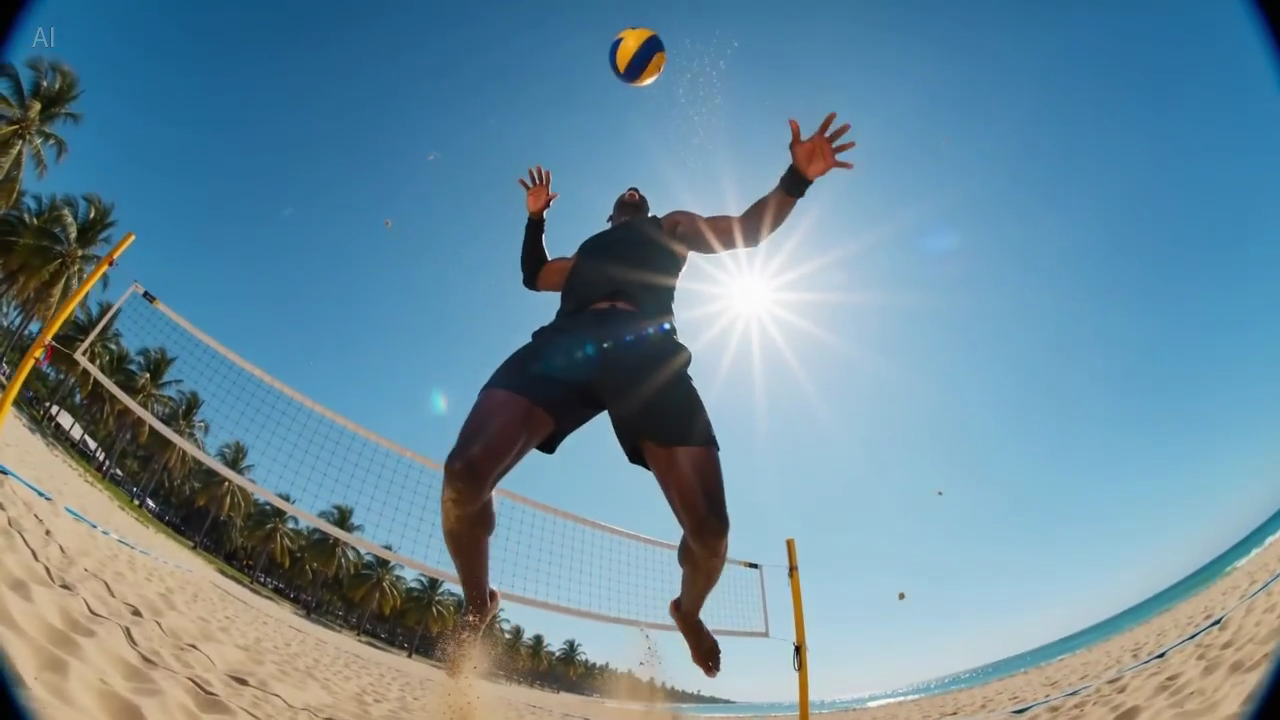
Didascalia: uno still reale dalla libreria di sample del sito, utile per valutare quante informazioni entrano in un primo frame leggibile.
Prompt Seedance 2.0 per image-to-video
Questi esempi funzionano meglio quando hai già un’immagine sorgente e vuoi preservarne la composizione.
6. Animazione di immagine prodotto ecommerce
Animate this premium skincare serum image into a short ecommerce ad. Keep the bottle shape and label stable. Add gentle water droplets, soft reflections, and a slow dolly-in. Maintain a clean white vanity setting. The goal is to feel premium and gift-worthy for paid social.
7. Visual per pagina prodotto gadget
Animate this compact coffee grinder image into a short product detail page video. Keep the grinder centered and recognizable. Add beans pouring into the top with a slow dolly-out as the handle turns. The goal is to make the product feel functional and premium.
8. Still per campagna beverage
Animate this canned sparkling drink image into a bright summer ad. Keep the can design stable. Add condensation, citrus slices dropping into frame, and a slight handheld camera movement. The goal is to feel refreshing and energetic for paid social.
9. Animazione beauty close-up
Animate this lipstick product photo into a luxury beauty clip. Keep the packaging shape and logo sharp. Add a subtle rotation, warm reflective highlights, and a smooth camera push-in. The goal is to make the product feel elegant and premium for a landing page section.
10. Still lifestyle furniture
Animate this chair lifestyle image into a short home decor video. Preserve the room composition and chair design. Add soft curtain movement, natural light shift, and a gentle camera pan. The goal is to make the room feel calm, aspirational, and lived-in.
Riferimento per movimento sottile
Questo sample è utile quando scrivi prompt che richiedono composizione stabile e movimento di camera leggero.
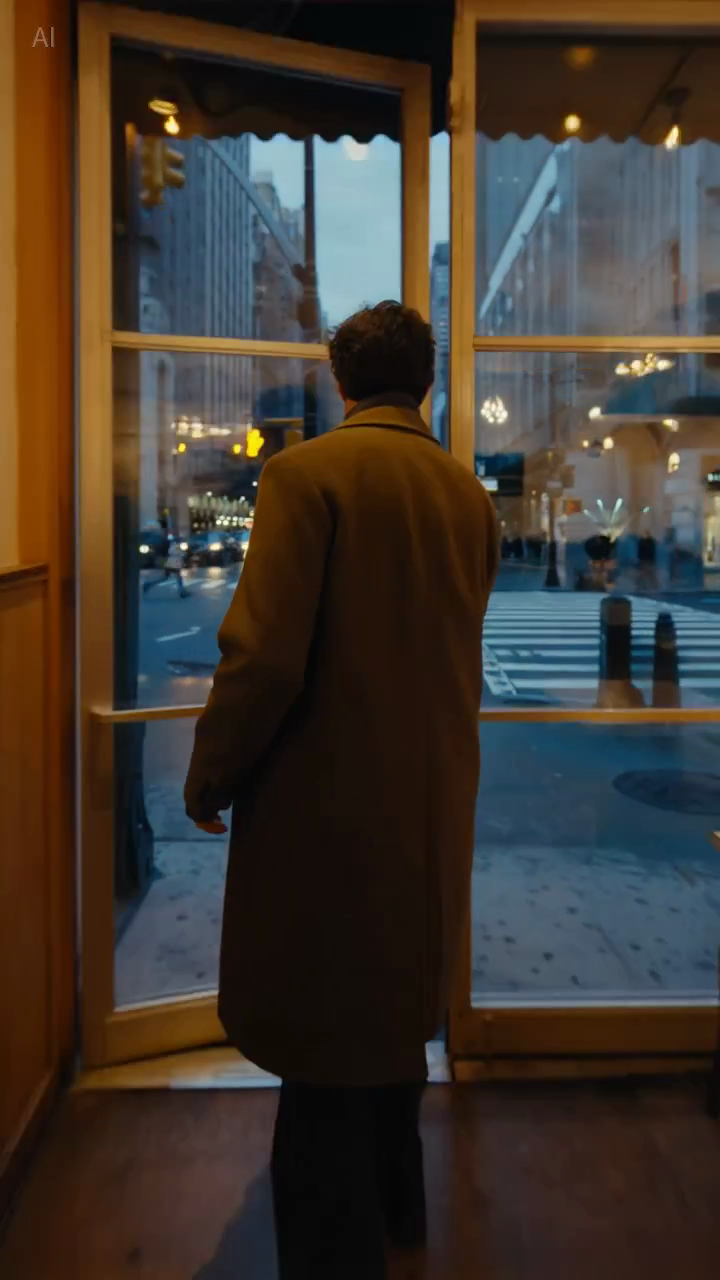
Didascalia: uno still reale della libreria sample, utile per capire se la composizione resta abbastanza stabile per prompt product-led o lifestyle-led.
Prompt Seedance 2.0 per team marketing
11. Hook paid social
Create a short paid social ad for a portable blender in a bright apartment kitchen. Start with fruit dropping into the blender, then cut to a quick blend moment and a positive reaction shot. Use natural handheld framing. The goal is to feel authentic and scroll-stopping.
12. Teaser di feature explainer
Create a short feature teaser for an AI writing tool. Show a cluttered document transforming into a clean polished draft with smooth interface motion and a slight zoom-in. Keep the message simple and product-focused. The goal is to show time savings in the first three seconds.
13. Promo ecommerce
Create a short sale promo for a premium candle brand. Show the candle on a warm wooden shelf with soft evening light, subtle smoke movement, and elegant camera motion. Add a final composition that leaves room for promotional text. The goal is to feel cozy and giftable.
14. Clip sul beneficio prodotto
Create a short product benefit video for a water bottle with a built-in filter. Show the bottle being filled outdoors, a clean close-up of the filter mechanism, and a subtle camera move that keeps the bottle central. The goal is to make the product feel practical and trustworthy.
15. Visual per campagna email
Create a short email header video for a spring skincare launch. Show a serum bottle surrounded by soft flowers and reflected morning light, with minimal movement and elegant pacing. The goal is to create a premium seasonal visual that supports the launch message.
Prompt Seedance 2.0 per landing page e pagine SEO
16. Hero loop per landing page
Create a short looping hero video for an AI video generator landing page. Show abstract motion frames evolving into polished video scenes, with clean transitions and soft light gradients. Keep the composition simple so text overlay remains readable. The goal is to make the product feel fast and creative.
17. Clip demo per pagina tutorial
Create a short tutorial-style demo video showing a prompt being turned into a finished marketing video. Use a clean product-focused sequence with a slight zoom-in and minimal background distraction. The goal is to make the workflow feel understandable and fast.
18. Visual per pagina comparativa
Create a short comparison-page support video showing a premium product concept with stable composition, realistic lighting, and controlled camera movement. The goal is to illustrate reliable draft quality for evaluation by marketing teams.
Prompt Seedance 2.0 per test creativi
19. Video UGC creator-style
Create a short creator-style product demo in a bright home kitchen. Show a person unboxing a compact juicer, using it, and reacting positively to the first sip. Use handheld framing and quick natural cuts. The goal is to feel authentic and native to short-form social.
20. Concept luxury brand
Create a short luxury brand film showing a gold watch on black velvet under directional studio lighting. Use a slow orbiting camera move and refined reflections across the metal surface. Keep the scene minimal and premium. The goal is to make the product feel exclusive and collectible.
Perché alcuni prompt funzionano meglio
La differenza di solito non è “più creatività”, ma più controllo.
Esempio A: paid social
Versione debole:
blender ad, viral, high energy, beautiful kitchen
Versione migliore:
Create a short paid social ad for a portable blender in a bright apartment kitchen. Start with fruit dropping into the blender, then cut to a quick blend moment and a positive reaction shot. Use natural handheld framing. The goal is to feel authentic and scroll-stopping.
Perché la seconda versione è più forte:
- definisce l’azione principale;
- chiarisce il focus;
- assegna un ruolo alla camera;
- esplicita l’intento del canale.
Esempio B: hero landing page
Versione debole:
cinematic AI video homepage animation
Versione migliore:
Create a short looping hero video for an AI video generator landing page. Show abstract motion frames evolving into polished video scenes, with clean transitions and soft light gradients. Keep the composition simple so text overlay remains readable. The goal is to make the product feel fast and creative.
Perché questa versione è migliore:
- considera il text overlay;
- evita un’inquadratura troppo complessa;
- definisce il vero lavoro visivo dell’asset.
Come adattare questi prompt al tuo workflow
Gli esempi sopra sono punti di partenza. Modifica:
- il soggetto;
- la scena;
- il movimento di camera;
- il canale finale;
- l’obiettivo di business.
Quello che dovrebbe restare uguale è la logica del prompt.
Un prompt utile risponde a tre domande:
- cosa sta succedendo;
- come lo vede lo spettatore;
- perché il video esiste.
Cosa evitare nei prompt Seedance
Troppi aggettivi di stile
Parole come cinematic o beautiful possono aiutare, ma non sostituiscono la descrizione della scena.
Troppe idee in un solo prompt
Se chiedi tre scene, due emozioni e quattro benefici prodotto in una sola generazione, il risultato diventa spesso confuso.
Nessuna istruzione sulla stabilità
Conta soprattutto in image-to-video. Se forma del prodotto, packaging o elementi di brand devono restare coerenti, va detto chiaramente.
Nessun contesto di destinazione
Un hero loop, un ad hook e un visual tutorial non dovrebbero usare lo stesso prompt senza cambiamenti. La destinazione modifica ritmo e inquadratura.
Checklist rapida
Prima di generare, chiediti:
- il soggetto principale è chiaro?
- la scena è abbastanza chiara da essere visualizzata?
- c’è un’azione principale?
- la direzione camera è semplice?
- l’obiettivo dell’output è esplicito?
Se una risposta è no, correggi il prompt prima di generare altri draft.
Constraint line riutilizzabili
Queste brevi istruzioni sono spesso utili quando serve più controllo:
- Keep the product centered and clearly readable.
- Preserve the packaging shape and label.
- Limit the scene to one primary movement.
- Leave negative space for headline text.
- Keep the background minimal and non-distracting.
Non sono formule magiche, ma spesso migliorano l’utilità commerciale perché riducono l’ambiguità.
Conclusione
I migliori prompt Seedance 2.0 non sono i più poetici. Sono i più utili.
Se il tuo prompt definisce chiaramente soggetto, scena, azione, camera e obiettivo, Seedance avrà molte più probabilità di produrre un draft che vale la pena migliorare.
Se vuoi mettere subito al lavoro questi esempi, entra direttamente nel workflow giusto:
Cosa testeremmo dopo
Se vuoi migliorare la qualità dei prompt in modo misurabile, testa queste variabili una alla volta:
- Aggiungere o rimuovere il contesto di destinazione, come landing page, paid social o tutorial.
- Cambiare solo l’istruzione di camera mantenendo fisso soggetto e obiettivo.
- Confrontare prompt con una sola azione contro prompt con più azioni.
Questo in genere insegna di più che riscrivere tutto il prompt da zero a ogni iterazione.