
Viele Seedance 2.0 Prompts scheitern aus einem vorhersehbaren Grund:
Sie klingen kreativ, geben aber nicht genug Richtung vor.
Teams schreiben oft so etwas wie:
premium ad, cinematic, beautiful lighting, viral product video
Das Problem ist nicht, dass diese Wörter falsch wären. Das Problem ist, dass sie Seedance nicht klar genug sagen, was der Zuschauer tatsächlich sehen soll.
Dieser Guide liefert 20 praktische Seedance 2.0 Prompts, die du auf reale Workflows anpassen kannst. Das Ziel sind bessere erste Drafts, nicht schönere Prompt-Formulierungen.
Mach aus diesen Prompts echte Drafts
Nutze Seedance für schnelles Concepting, bildbasierte Workflows und Marketing-Varianten.
Eine einfache Prompt-Formel, die funktioniert
Nutze vor den Beispielen diese Struktur:
- Motiv: was im Bild zu sehen ist.
- Szene: wo die Szene stattfindet.
- Aktion: was sich bewegt oder verändert.
- Kamera: wie die Szene gezeigt wird.
- Intention: was das Video vermitteln soll.
Vorlage:
Create a short video showing
[subject]in[setting]. The main action is[action]. Use[camera direction]with[lighting / tone]. The goal is to make the viewer[reaction / outcome].
Wenn du noch den Gesamtworkflow lernst, starte auch hier:
Den richtigen Prompt-Typ wählen
Bevor du ein Beispiel übernimmst, entscheide zuerst, welche Aufgabe das Video wirklich erfüllen soll.
| Ziel | Bester Prompt-Ansatz | Bester Input-Typ |
|---|---|---|
| Neues Konzept erkunden | Klares Motiv + Szene + eine Aktion | Text-to-video |
| Freigegebenes Still animieren | Konsistenz bewahren + kontrollierte Bewegung | Image-to-video |
| Landing-Page-Hero bauen | Einfachere Komposition + klarer Fokus | Text oder Bild |
| Paid-Social-Hook erstellen | Schnellere Aktion + klareres Produktmoment | Erst Text-to-video |
| Ecommerce-Visuals weiterverwenden | Stabilität + lesbares Packaging + subtile Bewegung | Image-to-video |
Seedance 2.0 Prompt-Beispiele für Text-to-Video
1. Produktlaunch-Teaser
Create a short launch teaser for a matte black wireless speaker on a dark stone table. Start with a macro shot of the grille, then use a slow push-in as soft sunrise light moves across the product. Keep the speaker centered and premium. The goal is to make the launch feel modern and desirable for a landing page hero.
2. SaaS-Homepage-Hero-Clip
Create a short product hero video for an AI analytics dashboard on a laptop screen in a bright modern office. Animate the interface with clean motion and a subtle push-in camera move. Keep the dashboard legible and product-focused. The goal is to make the software feel fast, useful, and credible.
3. Fashion-Kampagnenkonzept
Create a short fashion campaign video showing a model walking through a minimal concrete hallway with dramatic side lighting. Use a smooth tracking shot and slow-motion motion feel. Keep the styling editorial and polished. The goal is to feel premium and brand-forward.
4. Food-Promo-Video
Create a short food promo showing a warm croissant being broken open on a wooden cafe table at morning light. Capture visible steam, crumbs, and a slight top-down camera move. The goal is to make the pastry feel fresh and indulgent for social media promotion.
5. App-Launch-Social-Clip
Create a short social launch video for a meditation app. Show a smartphone interface appearing over a calm sunrise gradient background, with slow floating motion and clean UI transitions. The goal is to make the app feel calming, modern, and easy to start using.
Visuelle Referenz für Text-to-Video-Pacing
Dieser Beispielclip hilft als visueller Maßstab für kontrolliertes Pacing und Präsentation. Es ist ein repräsentativer Site-Asset, kein garantierter Output der exakten Prompts auf dieser Seite.
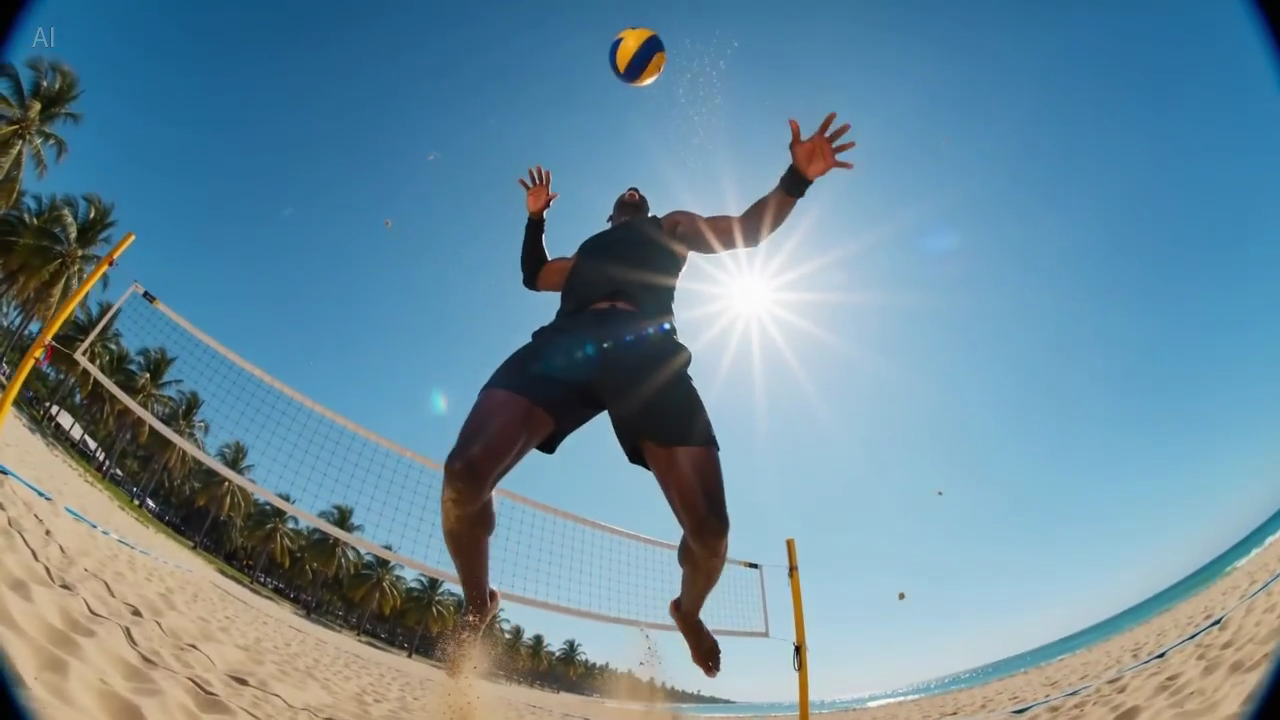
Bildunterschrift: ein echtes Still aus der Sample-Bibliothek der Seite, hilfreich um einzuschätzen, wie viele Informationen in ein lesbares erstes Frame passen.
Seedance 2.0 Prompts für Image-to-Video
Diese funktionieren am besten, wenn du bereits ein Ausgangsbild hast und die Komposition erhalten willst.
6. Ecommerce-Produktbild animieren
Animate this premium skincare serum image into a short ecommerce ad. Keep the bottle shape and label stable. Add gentle water droplets, soft reflections, and a slow dolly-in. Maintain a clean white vanity setting. The goal is to feel premium and gift-worthy for paid social.
7. Produktdetailseiten-Visual
Animate this compact coffee grinder image into a short product detail page video. Keep the grinder centered and recognizable. Add beans pouring into the top with a slow dolly-out as the handle turns. The goal is to make the product feel functional and premium.
8. Beverage-Kampagnen-Still
Animate this canned sparkling drink image into a bright summer ad. Keep the can design stable. Add condensation, citrus slices dropping into frame, and a slight handheld camera movement. The goal is to feel refreshing and energetic for paid social.
9. Beauty-Close-up-Animation
Animate this lipstick product photo into a luxury beauty clip. Keep the packaging shape and logo sharp. Add a subtle rotation, warm reflective highlights, and a smooth camera push-in. The goal is to make the product feel elegant and premium for a landing page section.
10. Furniture-Lifestyle-Still
Animate this chair lifestyle image into a short home decor video. Preserve the room composition and chair design. Add soft curtain movement, natural light shift, and a gentle camera pan. The goal is to make the room feel calm, aspirational, and lived-in.
Visuelle Referenz für subtile bildbasierte Bewegung
Dieses Sample ist nützlich, wenn du Prompts schreibst, die eine stabile Komposition mit sanfter Kamerabewegung verlangen.
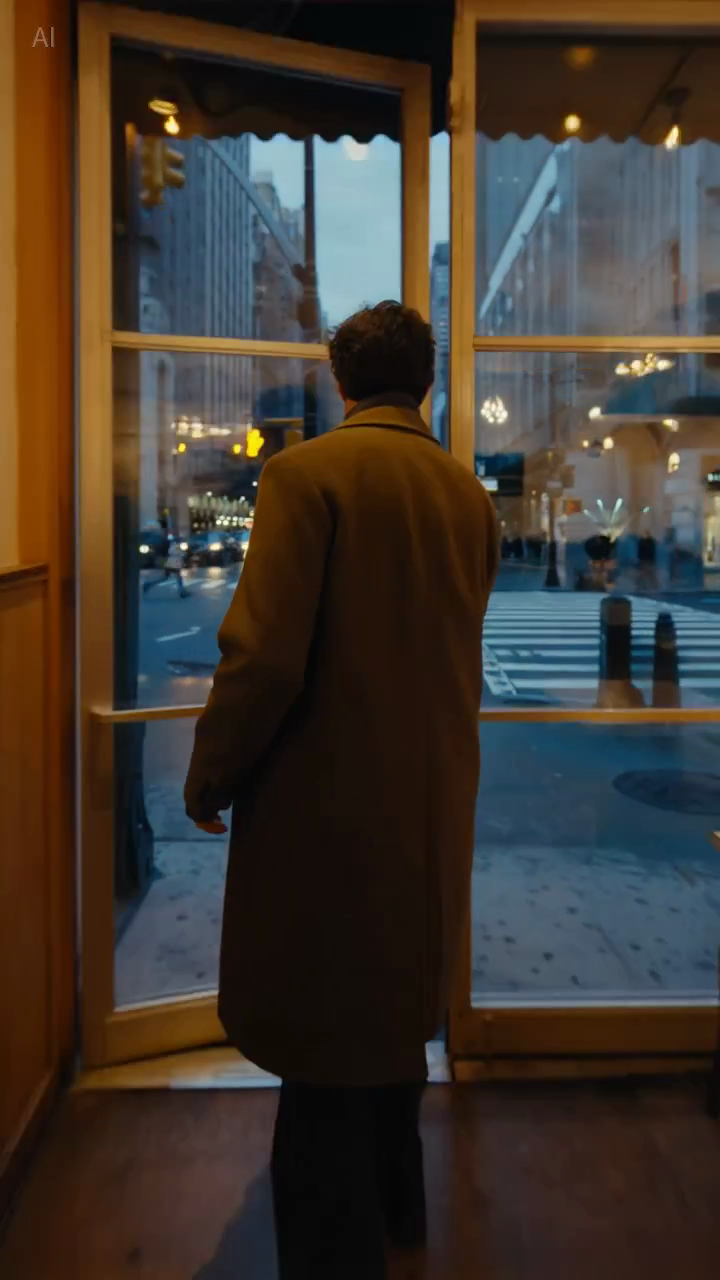
Bildunterschrift: ein echtes Still aus der Sample-Bibliothek, hilfreich um zu prüfen, ob die Komposition stabil genug für produkt- oder lifestyle-orientierte Prompts bleibt.
Seedance 2.0 Prompts für Marketing-Teams
11. Paid-Social-Hook
Create a short paid social ad for a portable blender in a bright apartment kitchen. Start with fruit dropping into the blender, then cut to a quick blend moment and a positive reaction shot. Use natural handheld framing. The goal is to feel authentic and scroll-stopping.
12. Feature-Explainer-Teaser
Create a short feature teaser for an AI writing tool. Show a cluttered document transforming into a clean polished draft with smooth interface motion and a slight zoom-in. Keep the message simple and product-focused. The goal is to show time savings in the first three seconds.
13. Ecommerce-Sale-Promo
Create a short sale promo for a premium candle brand. Show the candle on a warm wooden shelf with soft evening light, subtle smoke movement, and elegant camera motion. Add a final composition that leaves room for promotional text. The goal is to feel cozy and giftable.
14. Produktvorteil-Clip
Create a short product benefit video for a water bottle with a built-in filter. Show the bottle being filled outdoors, a clean close-up of the filter mechanism, and a subtle camera move that keeps the bottle central. The goal is to make the product feel practical and trustworthy.
15. Visual für E-Mail-Kampagne
Create a short email header video for a spring skincare launch. Show a serum bottle surrounded by soft flowers and reflected morning light, with minimal movement and elegant pacing. The goal is to create a premium seasonal visual that supports the launch message.
Seedance 2.0 Prompts für Landing Pages und SEO-Seiten
16. Landing-Page-Hero-Loop
Create a short looping hero video for an AI video generator landing page. Show abstract motion frames evolving into polished video scenes, with clean transitions and soft light gradients. Keep the composition simple so text overlay remains readable. The goal is to make the product feel fast and creative.
17. Demo-Clip für Tutorial-Seite
Create a short tutorial-style demo video showing a prompt being turned into a finished marketing video. Use a clean product-focused sequence with a slight zoom-in and minimal background distraction. The goal is to make the workflow feel understandable and fast.
18. Vergleichsseiten-Visual
Create a short comparison-page support video showing a premium product concept with stable composition, realistic lighting, and controlled camera movement. The goal is to illustrate reliable draft quality for evaluation by marketing teams.
Seedance 2.0 Prompts für Kreativtests
19. Creator-Style-UGC-Video
Create a short creator-style product demo in a bright home kitchen. Show a person unboxing a compact juicer, using it, and reacting positively to the first sip. Use handheld framing and quick natural cuts. The goal is to feel authentic and native to short-form social.
20. Luxury-Brand-Konzept
Create a short luxury brand film showing a gold watch on black velvet under directional studio lighting. Use a slow orbiting camera move and refined reflections across the metal surface. Keep the scene minimal and premium. The goal is to make the product feel exclusive and collectible.
Warum manche Prompts besser funktionieren
Der Unterschied ist meistens nicht “mehr Kreativität”, sondern bessere Kontrolle.
Beispiel A: Paid Social
Schwache Version:
blender ad, viral, high energy, beautiful kitchen
Bessere Version:
Create a short paid social ad for a portable blender in a bright apartment kitchen. Start with fruit dropping into the blender, then cut to a quick blend moment and a positive reaction shot. Use natural handheld framing. The goal is to feel authentic and scroll-stopping.
Warum die zweite Version stärker ist:
- sie definiert die Hauptaktion;
- sie klärt den Fokus;
- sie gibt der Kamera eine klare Aufgabe;
- sie nennt die Plattform-Absicht.
Beispiel B: Landing-Page-Hero
Schwache Version:
cinematic AI video homepage animation
Bessere Version:
Create a short looping hero video for an AI video generator landing page. Show abstract motion frames evolving into polished video scenes, with clean transitions and soft light gradients. Keep the composition simple so text overlay remains readable. The goal is to make the product feel fast and creative.
Warum diese Version besser ist:
- sie berücksichtigt Text-Overlay;
- sie vermeidet zu komplexes Framing;
- sie beschreibt den tatsächlichen visuellen Job des Assets.
So passt du diese Prompts an deinen Workflow an
Die Beispiele oben sind Startpunkte. Passe an:
- das Motiv;
- die Szene;
- die Kamerabewegung;
- den Zielkanal;
- das Business-Ziel.
Gleich bleiben sollte die Prompt-Logik.
Ein nützlicher Prompt beantwortet:
- was passiert;
- wie der Zuschauer es sieht;
- warum das Video existiert.
Was du in Seedance-Prompts vermeiden solltest
Zu viele Stiladjektive
Wörter wie cinematic oder beautiful können helfen, ersetzen aber keine Szenenbeschreibung.
Zu viele Ideen in einem Prompt
Wenn du drei Szenen, zwei Emotionen und vier Produktvorteile in eine Generierung packst, wird das Ergebnis oft unklar.
Keine Stabilitätsvorgaben
Das ist besonders bei Image-to-Video wichtig. Wenn Produktform, Verpackung oder Markenelemente konsistent bleiben müssen, sollte das ausdrücklich erwähnt werden.
Kein Kanal-Kontext
Ein Hero-Loop, ein Ad-Hook und ein Tutorial-Visual sollten nicht denselben Prompt unverändert nutzen. Der Ausspielkanal verändert Pacing und Framing.
Schnelle Prompt-Checkliste
Frage vor der Generierung:
- Ist das Hauptmotiv offensichtlich?
- Ist die Szene klar genug vorstellbar?
- Gibt es eine primäre Aktion?
- Ist die Kamerarichtung einfach?
- Ist das Ziel des Outputs explizit?
Wenn eine Antwort nein lautet, verbessere zuerst den Prompt.
Wiederverwendbare Constraint-Zeilen
Diese kurzen Anweisungen helfen oft, wenn du mehr Kontrolle brauchst:
- Keep the product centered and clearly readable.
- Preserve the packaging shape and label.
- Limit the scene to one primary movement.
- Leave negative space for headline text.
- Keep the background minimal and non-distracting.
Das sind keine Zauberformeln, aber sie verbessern oft die kommerzielle Nutzbarkeit, weil sie Mehrdeutigkeit reduzieren.
Fazit
Die besten Seedance 2.0 Prompts sind nicht die poetischsten. Sie sind die nützlichsten.
Wenn dein Prompt Motiv, Szene, Aktion, Kamera und Ziel klar definiert, steigt die Chance deutlich, dass Seedance einen wirklich brauchbaren Draft erzeugt.
Wenn du diese Beispiele direkt nutzen willst, gehe in den passenden Workflow:
Was wir als Nächstes testen würden
Wenn du die Prompt-Qualität messbar verbessern willst, teste diese Variablen einzeln:
- Zielkontext hinzufügen oder entfernen, etwa Landing Page, Paid Social oder Tutorial.
- Nur die Kameraanweisung ändern, während Motiv und Ziel gleich bleiben.
- Prompts mit einer Aktion gegen Prompts mit mehreren Aktionen vergleichen.
Das ist meist sinnvoller, als den gesamten Prompt in jeder Runde komplett umzuschreiben.