
Most Seedance 2.0 prompts fail for a predictable reason:
They sound creative, but they do not provide enough direction.
Teams often write prompts like:
premium ad, cinematic, beautiful lighting, viral product video
The problem is not that these words are wrong. The problem is that they do not tell Seedance what the viewer should actually see.
This guide gives you 20 practical Seedance 2.0 prompts you can adapt for real workflows. The goal is better first drafts, not prettier prompt writing.
Turn these prompts into real drafts
Use Seedance for fast concepting, image-led workflows, and marketing video variations.
A simple prompt formula that works
Before the examples, use this structure:
- Subject: what is on screen.
- Setting: where the scene happens.
- Action: what moves or changes.
- Camera: how the scene is viewed.
- Intent: what the video should communicate.
Template:
Create a short video showing
[subject]in[setting]. The main action is[action]. Use[camera direction]with[lighting / tone]. The goal is to make the viewer[reaction / outcome].
If you are still learning the full workflow, start here too:
How to choose the right prompt type
Before copying any of the examples below, decide what job the video actually needs to do.
| Goal | Best prompt angle | Best input type |
|---|---|---|
| Explore a new concept | Clear subject + scene + one action | Text-to-video |
| Animate an approved still | Preserve consistency + add controlled motion | Image-to-video |
| Create a landing page hero | Simpler composition + readable focal point | Text or image, depending on asset quality |
| Make a paid social hook | Faster action + clearer product or reaction moment | Text-to-video first, then iterate |
| Reuse ecommerce visuals | Stability + packaging readability + subtle camera move | Image-to-video |
Seedance 2.0 prompt examples for text-to-video
1. Product launch teaser
Create a short launch teaser for a matte black wireless speaker on a dark stone table. Start with a macro shot of the grille, then use a slow push-in as soft sunrise light moves across the product. Keep the speaker centered and premium. The goal is to make the launch feel modern and desirable for a landing page hero.
2. SaaS homepage hero clip
Create a short product hero video for an AI analytics dashboard on a laptop screen in a bright modern office. Animate the interface with clean motion and a subtle push-in camera move. Keep the dashboard legible and product-focused. The goal is to make the software feel fast, useful, and credible.
3. Fashion campaign concept
Create a short fashion campaign video showing a model walking through a minimal concrete hallway with dramatic side lighting. Use a smooth tracking shot and slow-motion motion feel. Keep the styling editorial and polished. The goal is to feel premium and brand-forward.
4. Food promo video
Create a short food promo showing a warm croissant being broken open on a wooden cafe table at morning light. Capture visible steam, crumbs, and a slight top-down camera move. The goal is to make the pastry feel fresh and indulgent for social media promotion.
5. App launch social clip
Create a short social launch video for a meditation app. Show a smartphone interface appearing over a calm sunrise gradient background, with slow floating motion and clean UI transitions. The goal is to make the app feel calming, modern, and easy to start using.
Visual reference for text-to-video pacing
This sample clip is included to give readers a visual benchmark for controlled pacing and presentation. It is a representative site asset, not a guaranteed output of the exact prompts on this page.
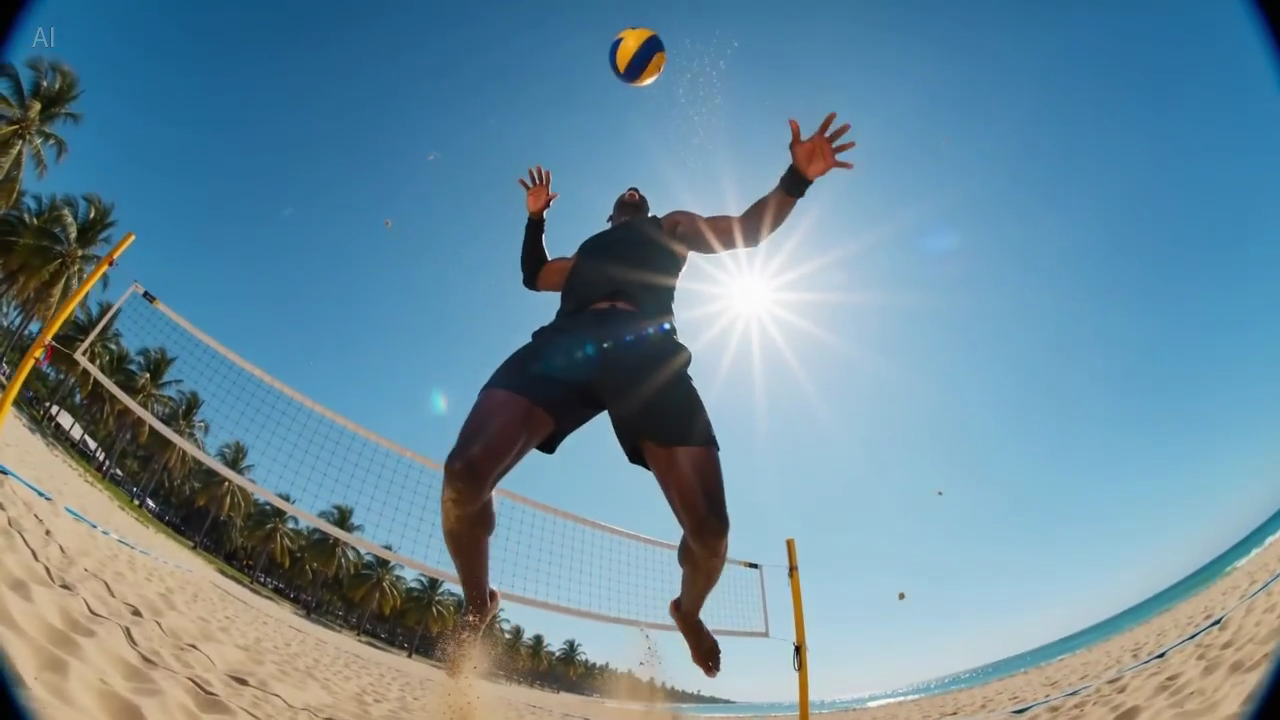
Caption: a real still frame from the site's sample library, included to help evaluate how much visual information fits into a readable first frame.
Seedance 2.0 prompts for image-to-video
These work best when you already have a source image and want to preserve the composition.
6. Ecommerce product image animation
Animate this premium skincare serum image into a short ecommerce ad. Keep the bottle shape and label stable. Add gentle water droplets, soft reflections, and a slow dolly-in. Maintain a clean white vanity setting. The goal is to feel premium and gift-worthy for paid social.
7. Gadget product page visual
Animate this compact coffee grinder image into a short product detail page video. Keep the grinder centered and recognizable. Add beans pouring into the top with a slow dolly-out as the handle turns. The goal is to make the product feel functional and premium.
8. Beverage campaign still
Animate this canned sparkling drink image into a bright summer ad. Keep the can design stable. Add condensation, citrus slices dropping into frame, and a slight handheld camera movement. The goal is to feel refreshing and energetic for paid social.
9. Beauty close-up animation
Animate this lipstick product photo into a luxury beauty clip. Keep the packaging shape and logo sharp. Add a subtle rotation, warm reflective highlights, and a smooth camera push-in. The goal is to make the product feel elegant and premium for a landing page section.
10. Furniture lifestyle still
Animate this chair lifestyle image into a short home decor video. Preserve the room composition and chair design. Add soft curtain movement, natural light shift, and a gentle camera pan. The goal is to make the room feel calm, aspirational, and lived-in.
Visual reference for image-led motion
This sample is useful as a reference when writing prompts that need stable composition with subtle camera movement.
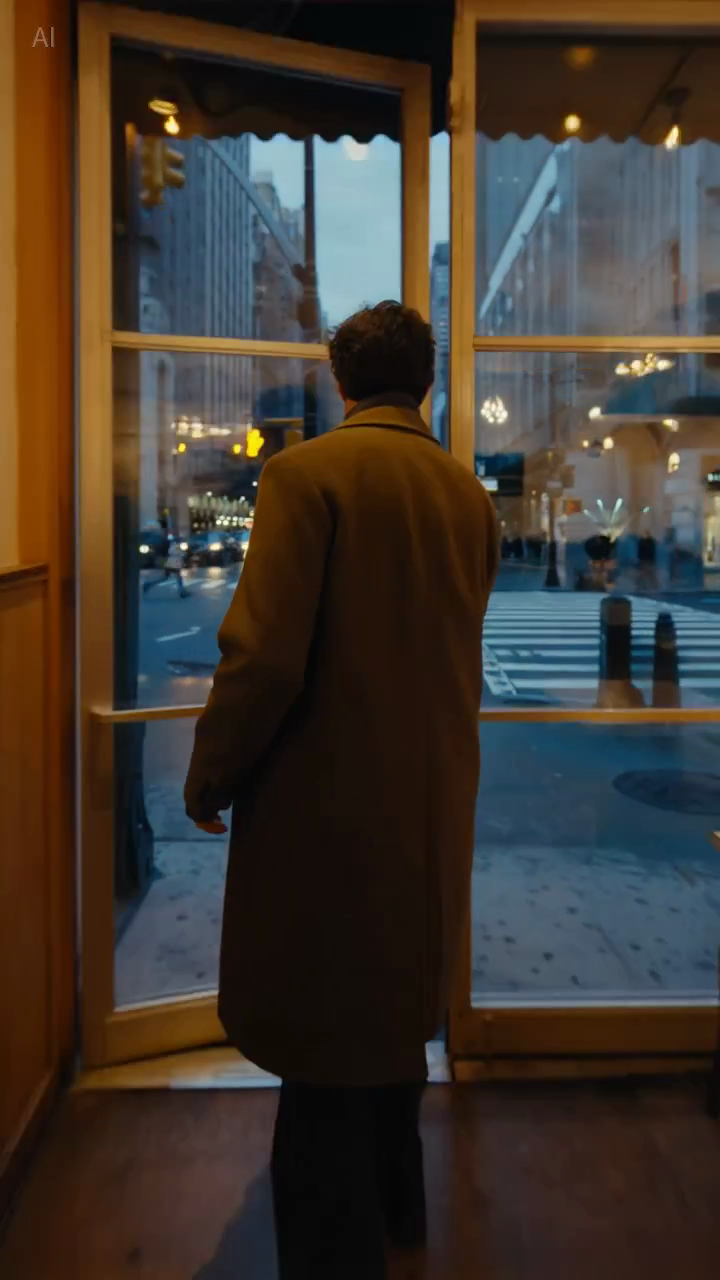
Caption: a real still frame from the sample library, useful for judging whether the composition stays stable enough for product-led or lifestyle-led prompts.
Seedance 2.0 prompts for marketing teams
11. Paid social hook
Create a short paid social ad for a portable blender in a bright apartment kitchen. Start with fruit dropping into the blender, then cut to a quick blend moment and a positive reaction shot. Use natural handheld framing. The goal is to feel authentic and scroll-stopping.
12. Feature explainer teaser
Create a short feature teaser for an AI writing tool. Show a cluttered document transforming into a clean polished draft with smooth interface motion and a slight zoom-in. Keep the message simple and product-focused. The goal is to show time savings in the first three seconds.
13. Ecommerce sale promo
Create a short sale promo for a premium candle brand. Show the candle on a warm wooden shelf with soft evening light, subtle smoke movement, and elegant camera motion. Add a final composition that leaves room for promotional text. The goal is to feel cozy and giftable.
14. Product benefit clip
Create a short product benefit video for a water bottle with a built-in filter. Show the bottle being filled outdoors, a clean close-up of the filter mechanism, and a subtle camera move that keeps the bottle central. The goal is to make the product feel practical and trustworthy.
15. Email campaign visual
Create a short email header video for a spring skincare launch. Show a serum bottle surrounded by soft flowers and reflected morning light, with minimal movement and elegant pacing. The goal is to create a premium seasonal visual that supports the launch message.
Seedance 2.0 prompts for landing pages and SEO pages
16. Landing page hero loop
Create a short looping hero video for an AI video generator landing page. Show abstract motion frames evolving into polished video scenes, with clean transitions and soft light gradients. Keep the composition simple so text overlay remains readable. The goal is to make the product feel fast and creative.
17. Tutorial page demo clip
Create a short tutorial-style demo video showing a prompt being turned into a finished marketing video. Use a clean product-focused sequence with a slight zoom-in and minimal background distraction. The goal is to make the workflow feel understandable and fast.
18. Comparison page visual
Create a short comparison-page support video showing a premium product concept with stable composition, realistic lighting, and controlled camera movement. The goal is to illustrate reliable draft quality for evaluation by marketing teams.
Seedance 2.0 prompts for creative testing
19. UGC-style creator video
Create a short creator-style product demo in a bright home kitchen. Show a person unboxing a compact juicer, using it, and reacting positively to the first sip. Use handheld framing and quick natural cuts. The goal is to feel authentic and native to short-form social.
20. High-end brand concept
Create a short luxury brand film showing a gold watch on black velvet under directional studio lighting. Use a slow orbiting camera move and refined reflections across the metal surface. Keep the scene minimal and premium. The goal is to make the product feel exclusive and collectible.
Why some prompts work better than others
The difference is usually not "more creativity." It is better control.
Example A: paid social
Weak version:
blender ad, viral, high energy, beautiful kitchen
Better version:
Create a short paid social ad for a portable blender in a bright apartment kitchen. Start with fruit dropping into the blender, then cut to a quick blend moment and a positive reaction shot. Use natural handheld framing. The goal is to feel authentic and scroll-stopping.
Why the second version is stronger:
- it defines the main action;
- it clarifies the point of attention;
- it gives the camera a role;
- it states the platform intent.
Example B: landing page hero
Weak version:
cinematic AI video homepage animation
Better version:
Create a short looping hero video for an AI video generator landing page. Show abstract motion frames evolving into polished video scenes, with clean transitions and soft light gradients. Keep the composition simple so text overlay remains readable. The goal is to make the product feel fast and creative.
Why the second version is stronger:
- it accounts for text overlay;
- it avoids overcomplicated framing;
- it defines the visual job of the asset.
How to improve these prompts for your own workflow
The examples above are starting points. Adapt them by changing:
- the subject;
- the setting;
- the camera move;
- the destination channel;
- the business goal.
What should stay the same is the prompt logic.
A useful prompt answers:
- what is happening;
- how the viewer sees it;
- why the video exists.
What to avoid in Seedance prompts
Too many style adjectives
Words like "cinematic" and "beautiful" can help, but they do not replace scene description.
Too many ideas in one prompt
If you ask for three scenes, two emotions, and four product benefits in one generation, the result often gets muddy.
No instruction on stability
This matters most in image-to-video. If the product shape, packaging, or brand elements must stay consistent, say so directly.
No destination context
A hero loop, ad hook, and tutorial visual should not use the same prompt unchanged. The destination affects the pacing and framing.
A quick prompt checklist
Before you generate, ask:
- Is the main subject obvious?
- Is the setting clear enough to visualize?
- Is there one primary action?
- Is the camera direction simple?
- Is the output goal explicit?
If the answer is no to any of those, fix the prompt before generating more drafts.
Reusable constraint lines
These short instructions are often useful add-ons when you need more control:
- Keep the product centered and clearly readable.
- Preserve the packaging shape and label.
- Limit the scene to one primary movement.
- Leave negative space for headline text.
- Keep the background minimal and non-distracting.
These are not magic phrases, but they often improve commercial usefulness because they reduce ambiguity.
Final takeaway
The best Seedance 2.0 prompts are not the most poetic. They are the most useful.
If your prompt clearly defines the subject, setting, action, camera, and goal, Seedance has a much better chance of producing a draft worth improving.
If you want to put these examples to work immediately, go straight into the matching workflow:
What we would test next
If you want to improve prompt quality in a measurable way, test these variables one at a time:
- Add or remove the destination context, such as landing page, paid social, or tutorial.
- Change only the camera instruction while keeping the subject and goal fixed.
- Compare prompts that specify one action vs prompts that specify multiple actions.
This is usually a better way to learn than rewriting the entire prompt from scratch each round.